Header · Photo menu
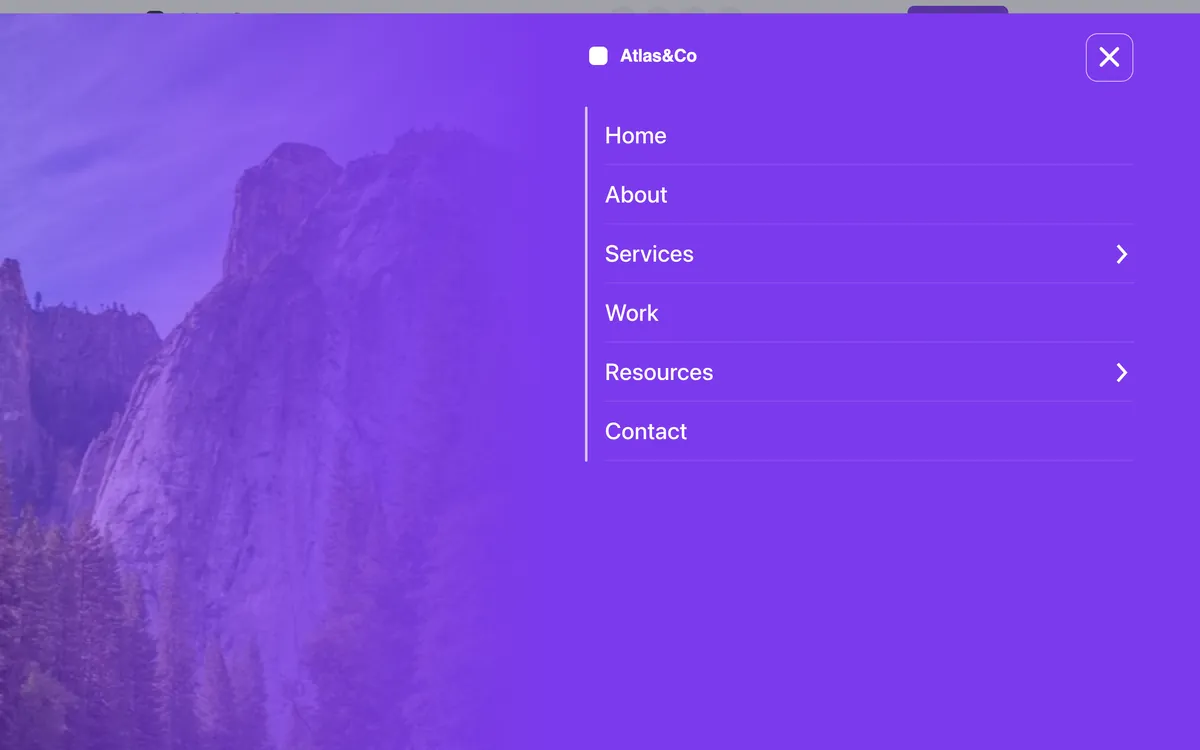
A header for Bricks Builder with the logo, social links, a phone number and a call-to-action button in the bar, and a full-screen menu in the brand color. Opening it shows a tinted photo on the left half, hidden on phones, beside your WordPress menu, with its links coming in one after another.
In the annual plan, $99/year. See plans
Preview
Loading demo…
Template details
What’s inside
The components it’s built from. They come with the template when you paste it, and you edit them from the Bricks panel.
- FBK Button
A link styled as a button, with style, size and width.
- FBK Header
The whole header: bar, logo, menu, actions and optional top/bottom slots.
- FBK Social
Links to your social profiles, logo and network name.
Adjust it
Nothing extra to set: it takes its colors, spacing and type from your framework.
Replaces
In Fancy Bricks 1.0 and 2.0 this was Header (2.0) and Header (1.0).