
Fancy Bricks plugin · Breadcrumb
A breadcrumb with dropdowns for Bricks Builder
Each level opens its sibling categories, and the last one the related posts. The path follows the taxonomy, with an archive link and a home icon or text.
A practical guide to learning Bricks Builder
Navigation in every level of the path
- Every level opens its sibling terms
- The last level lists related posts
- An archive link to the blog or the post type
- The full taxonomy path, parent terms first
- Home as text, an icon or both, any separator
- A nav landmark, arrow keys and Escape in the menus
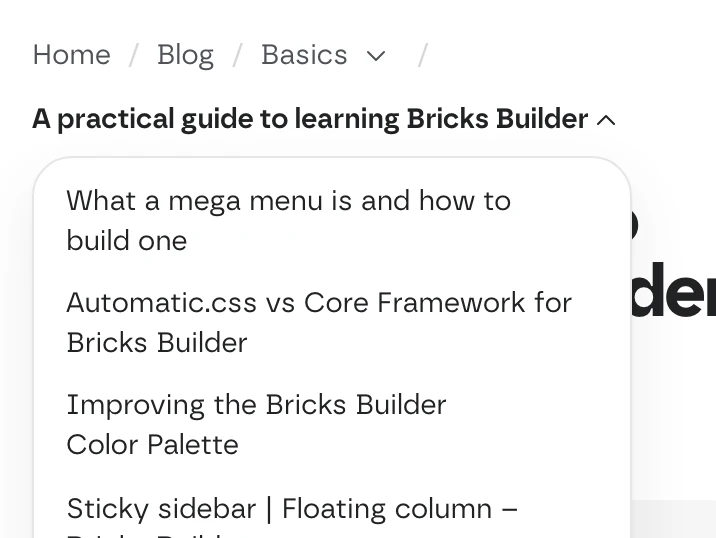
It runs on every post of our blog
The post template uses the same element: Home, Blog, the category and the post, both levels open. This is a screenshot of one of them.
Open the postSettings you’ll find in Bricks
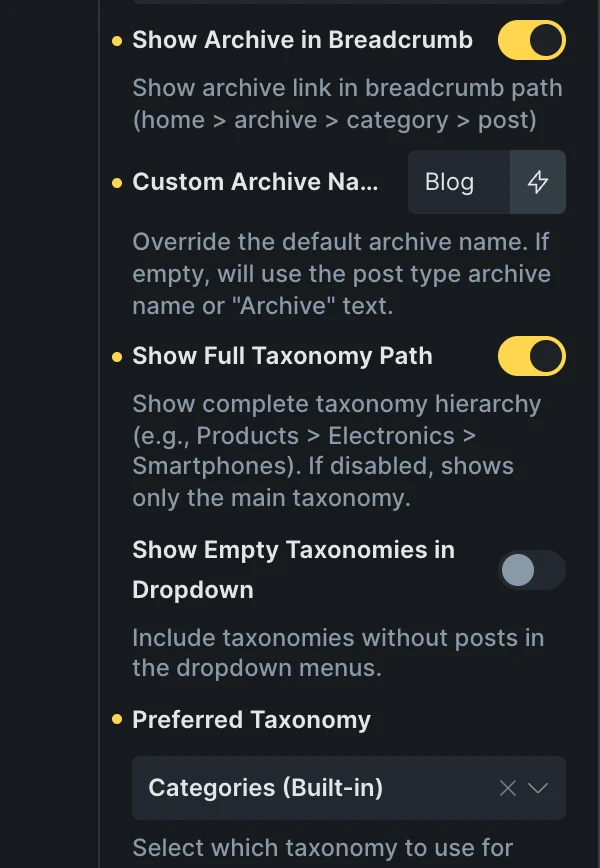
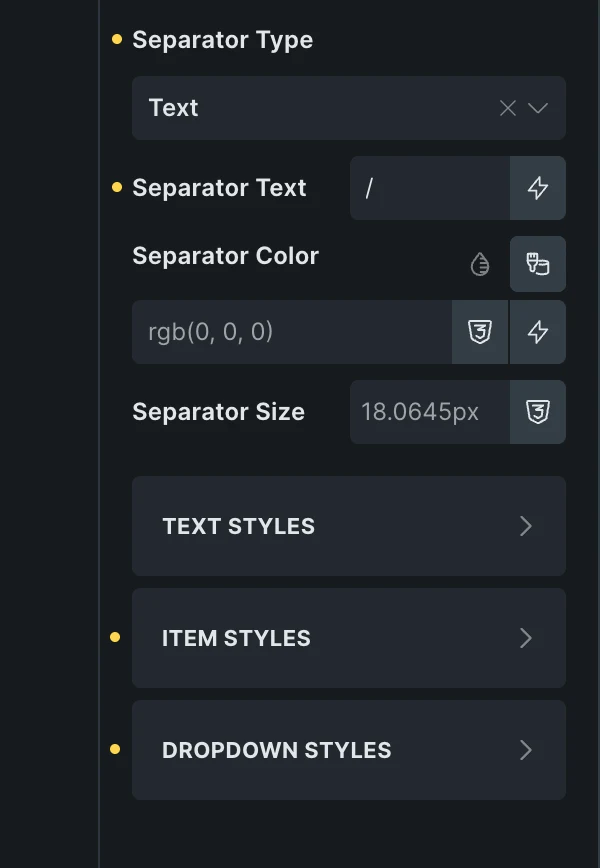
Screenshots of the real panel, set like the post template of our blog. Pick a group.
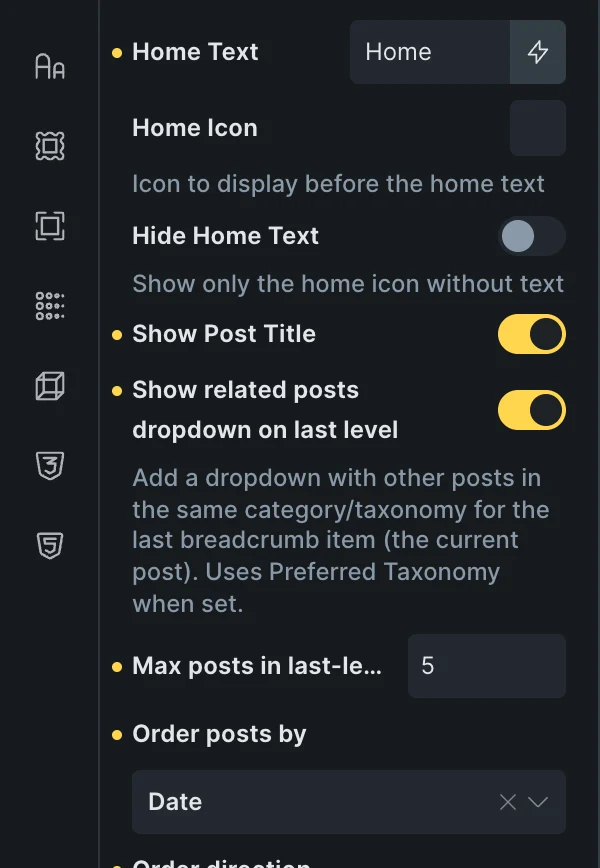
- HomeText, an icon, or the icon alone.
- Last levelThe post, or a menu of related posts: how many and in what order.
- PathThe archive link with your name for it, and the full taxonomy path.
- DropdownsWhich taxonomy, and the order and limit of the terms in each menu.
Included in the annual and lifetime plans. See plans
Wherever content has categories
Blog posts
Sibling categories one click away, and the latest posts of the same one.
Product pages
The full path of product categories, parent first.
Docs and guides
A custom post type with its own topics.
Questions, answered
Can’t find yours? Write to us.
Does it work with products and custom post types?
Yes. It reads the post type’s archive and its taxonomy. Set Preferred Taxonomy when the content has more than one.
What does it show on a page?
Home, the parent pages and the page title, like «On this page» above. The dropdowns come from terms, so they show on posts, products and other content with categories or tags.
Is it included in the free plan?
No. The plugin is an extra included with the annual and lifetime plans.
Included in the annual and lifetime plans
Install the plugin from your account once you’re on a paid plan. Free templates and frameworks stay free either way.
See plansHow to install the plugin