
Fancy Bricks plugin · Nestable timeline
A scroll timeline for Bricks Builder, nestable
A progress line fills as the page scrolls and each item lights up as it reaches the middle of the screen. Every item is a block in the structure panel, styled like any other.
2012
The first roast in Salento
2018
Shipping across Colombia
2026
A school for baristas
2012
The first roast in Salento
Two bags of beans from a farm in the Cocora valley.
2015
A coffee bar in Medellín
A small bar in Laureles, the roaster behind the counter.
2018
Shipping across Colombia
An online shop, orders out of Pereira the same week.
2022
Bogotá and Cali
Two more bars, the same beans, the same roast.
2026
A school for baristas
Weekend courses in Cartagena, open to anyone.
2012
The first roast in Salento
Two bags of beans from a farm in the Cocora valley.
2015
A coffee bar in Medellín
A small bar in Laureles, the roaster behind the counter.
2018
Shipping across Colombia
An online shop, orders out of Pereira the same week.
2022
Bogotá and Cali
Two more bars, the same beans, the same roast.
2026
A school for baristas
Weekend courses in Cartagena, open to anyone.
On phones the alternating layout folds into one column.
A timeline that follows the reader
- A progress line with your color and width
- Items light up at their start or their middle
- Alternating layout, items left and right
- Nestable: icon, tag, heading and text are elements
- Start and end offsets, wherever it sits
- Map sync: each item opens a Bricks map marker
Settings you’ll find in Bricks
Screenshots of the real panel, set like the demo above. Pick a group.
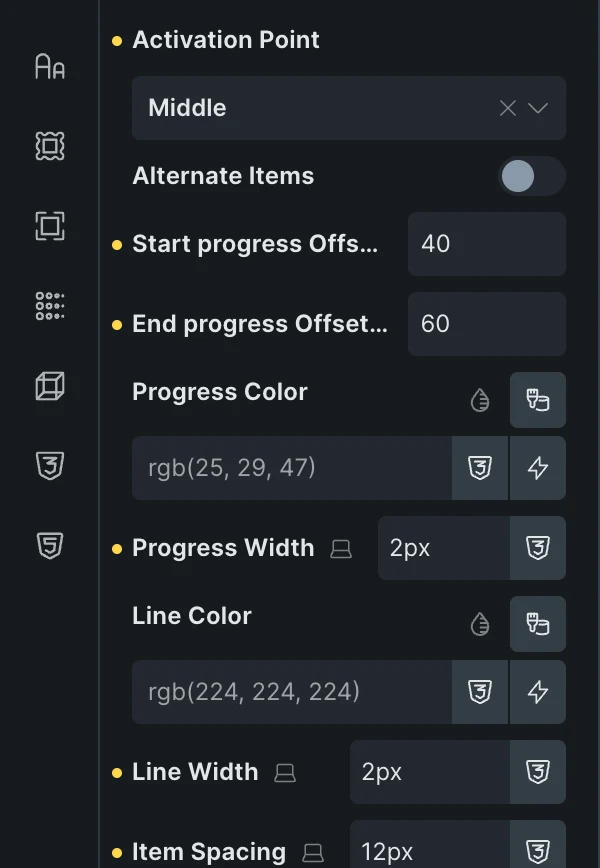
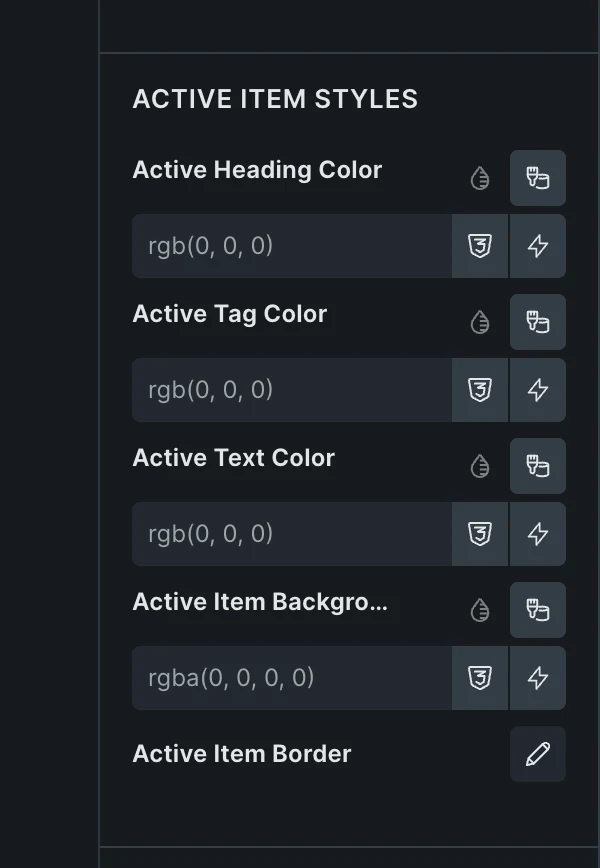
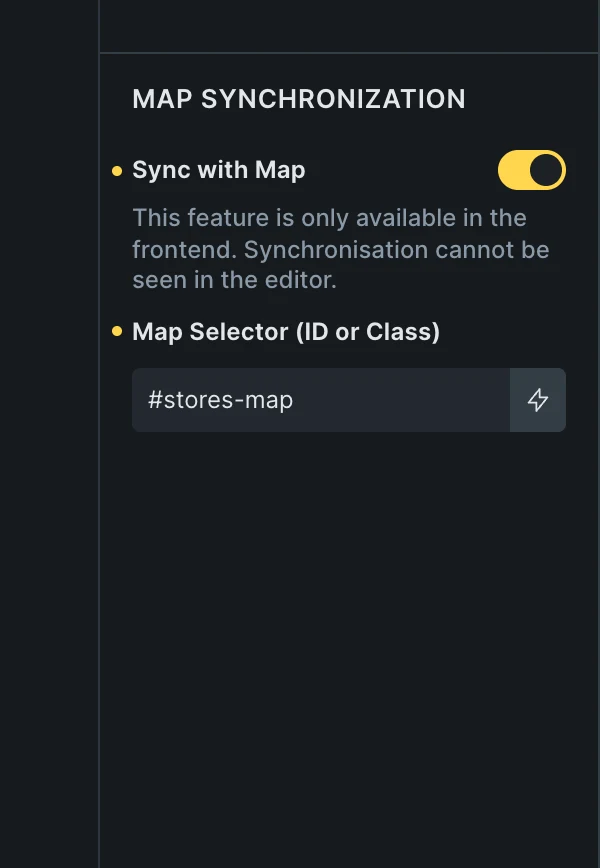
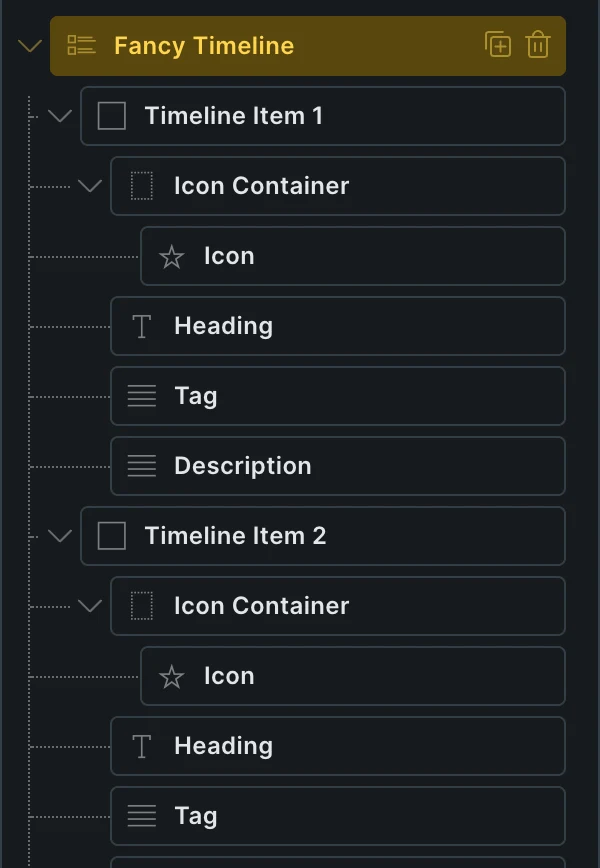
- Start or middleAn item lights up when the line reaches its top, or its middle.
- OffsetsWhere on the screen the line starts and stops filling, in percent.
- Active stylesColors for the lit item, or the fb-active class in your CSS.
- Map selectorThe ID or class of a Bricks Map element on the same page.
Included in the annual and lifetime plans. See plans
See it set up
Two videos: the element from the start, and its map sync. Pick one.
Wherever a story has an order
About pages and company history
Years down the page, each one lit as the visitor reads it.
Steps of a process
Onboarding, an order’s journey, how a project runs.
Routes and store maps
Each stop opens its marker on a Bricks map next to it.
A section already built around a timeline
Copy it, paste it in Bricks, then drop the element in to light it up on scroll.

Questions, answered
Can’t find yours? Write to us.
Can I style the item that is lit?
Yes. Active heading, tag, text, background, border and icon colors are in the panel, and every lit item carries the fb-active class for your own CSS.
How does the map sync work?
Turn on Sync with Map and type the selector of a Bricks Map element. As an item lights up, the timeline opens the marker in the same position of the list.
Is it included in the free plan?
No. The plugin is an extra included with the annual and lifetime plans.
Included in the annual and lifetime plans
Install the plugin from your account once you’re on a paid plan. Free templates and frameworks stay free either way.
See plansHow to install the plugin