Pricing · Price list
A functional menu-style price list for Bricks Builder for businesses like salons or clinics: groups of services in columns, each row a service name linked to booking, its duration below, a dotted line and the price built on the native FBK Price component. Rows only react on hover when they actually link somewhere.
In the annual plan, $99/year. See plans
Preview
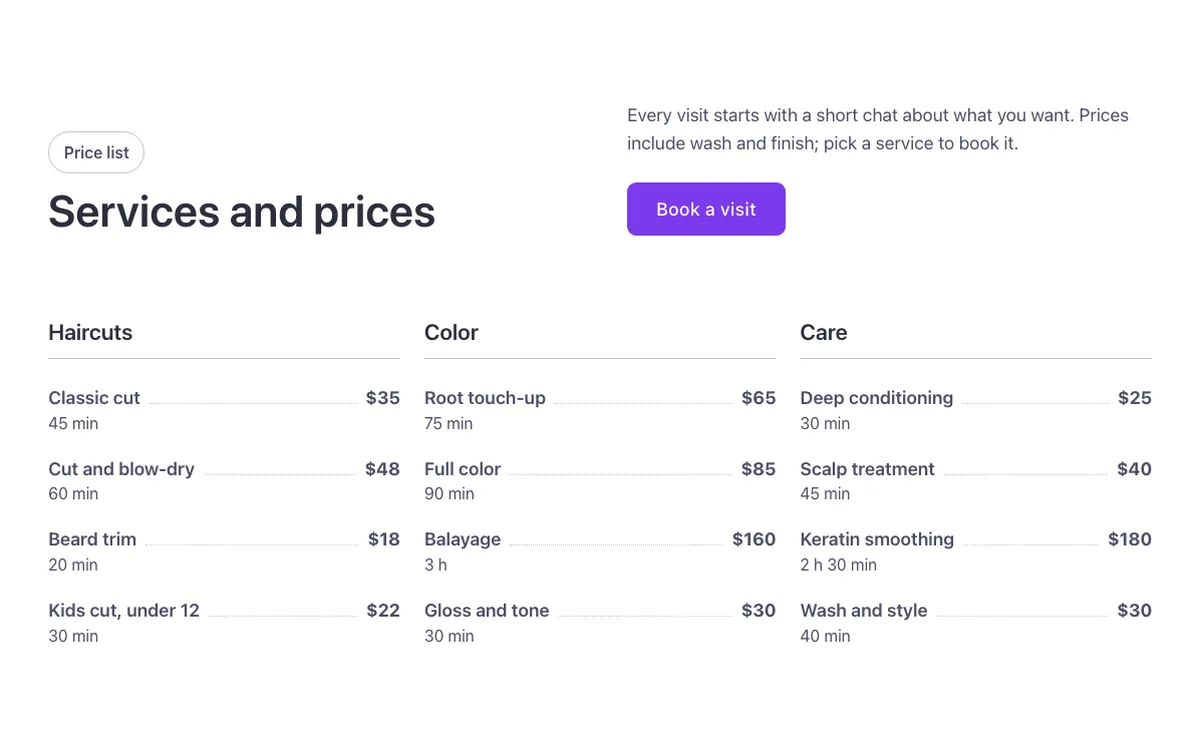
Loading demo…
Template details
What’s inside
The components it’s built from. They come with the template when you paste it, and you edit them from the Bricks panel.
- FBK Button
A link styled as a button, with style, size and width.
- FBK Intro
Eyebrow, title, lead and an actions slot for buttons.
- FBK Price
A price: currency, a large figure, a period, an optional old price and a note.
Adjust it
Change these variables in Bricks to tune it; everything else follows your framework.
On the element Price list, class fbk-wf-pricelist
Dotted line between name and price
- --fbk-t-leader
- color-mix(in srgb, currentColor 30%, transparent)
Row on hover
- --fbk-t-row-hover
- color-mix(in srgb, currentColor 6%, transparent)
- --fbk-t-leader-hover
- color-mix(in srgb, currentColor 60%, transparent)
Row padding at the sides (the list reaches out by as much, so texts line up with the title)
- --fbk-t-row-pad
- 0.75em