Header · Sidebar
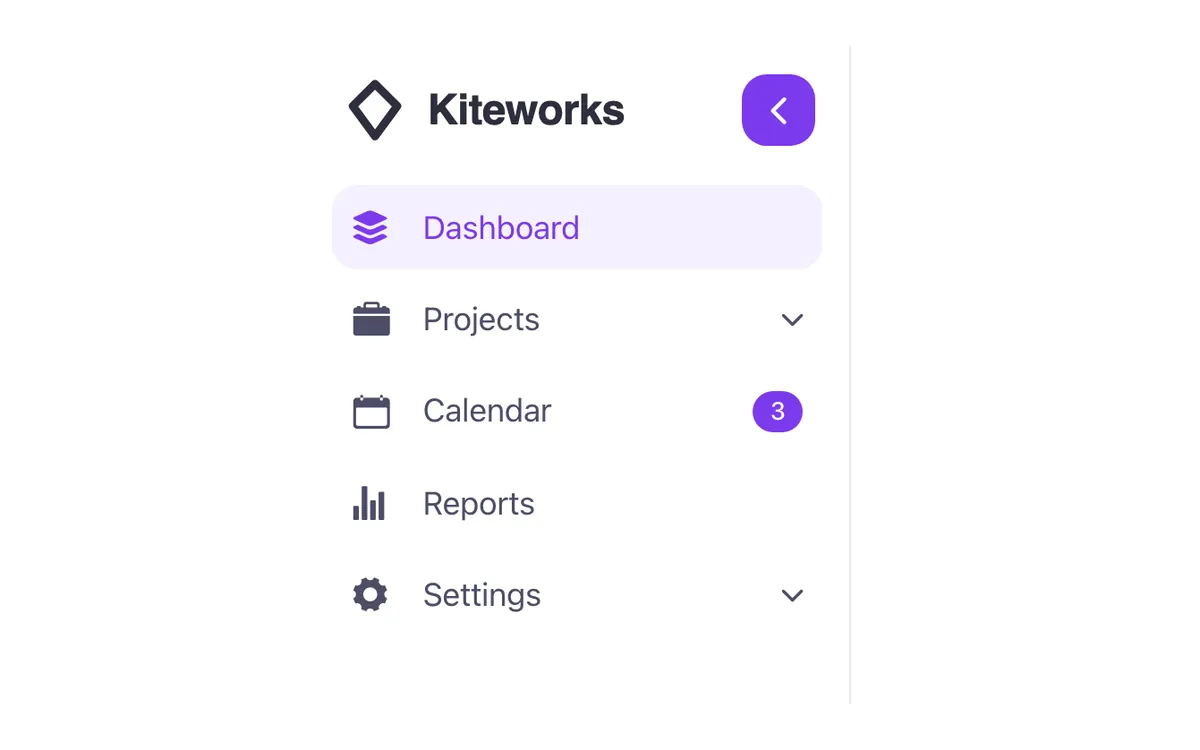
A fixed left sidebar navigation for Bricks Builder with the logo, icon links, submenus that open in place and contact and social links at the foot. A toggle button folds it down to a column of icons, with labels still read by screen readers even while hidden from view.
In the annual plan, $99/year. See plans
Uses a small script. Turn on Code execution in Bricks › Settings › Custom code. How to turn on Code execution
Preview
Loading demo…
Template details
What’s inside
The components it’s built from. They come with the template when you paste it, and you edit them from the Bricks panel.
- FBK Side header
A header fixed to the side of the page: logo, links with icons and submenus; it folds to a column of icons.
- FBK Social
Links to your social profiles, logo and network name.
Adjust it
Change these variables in Bricks to tune it; everything else follows your framework.
On the template, class fbk-hside
Widths: open and folded
- --fbk-t-side-w
- 17em
- --fbk-t-side-folded
- 4.5em
How long folding and unfolding take
- --fbk-t-side-speed
- 0.35s
- --fbk-hside-w
- var(--fbk-t-side-w)
- --fbk-hside-speed
- var(--fbk-t-side-speed)
Submenus open and close; words, badges and the foot fade while folding
- --fbk-hside-sub-speed
- 0.35s
- --fbk-hside-fade
- 0.2s
- --fbk-hside-line
- color-mix(in srgb, currentColor 12%, transparent)
The fold button, and the start of the folded column's middle from the bar's padding
- --fbk-hside-btn
- 2.25em
- --fbk-hside-mid
- calc(var(--fbk-t-side-folded) / 2 - var(--space-s))
Replaces
In Fancy Bricks 1.0 and 2.0 this was Header sidebar (2.0).