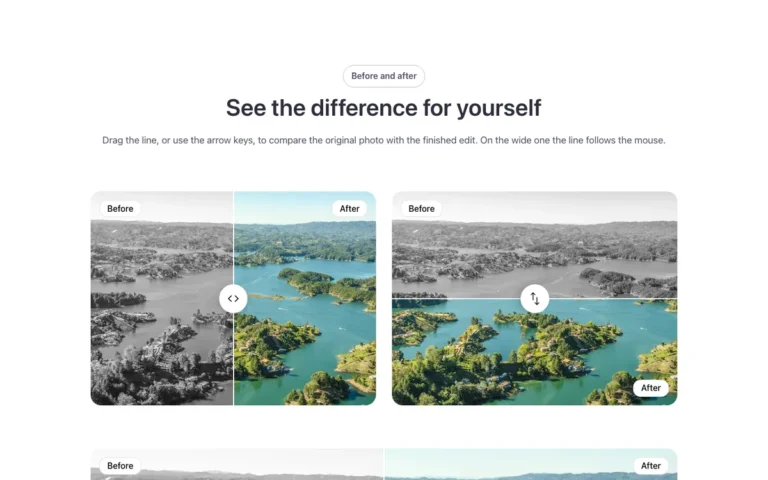
A feature list only tells you so much. Here is something more useful: the same Bricks Builder section, built once and delivered for each framework. Once you see what actually changes, the choice gets easier.
Automatic.css vs Core Framework: the same template, two frameworks
Both give a Bricks Builder site one set of design tokens, colors, spacing, type sizes and radius, as CSS custom properties. They get there in different ways.
Automatic.css 4
- Calls itself “variable-first, BEM-first”
- 4.x removed most utility class modules, preset breakpoints and transparency tokens
- Colors in OKLCH; dark mode with
color-schemeandlight-dark() - Paid license; 4.x is not backward compatible with 3.x
Core Framework
- Free and open source (MIT), a plugin on WordPress.org
- Integrations for Gutenberg, Bricks and Oxygen, plus a Figma plugin
- Generates variables and utility classes from a visual dashboard
- Dark mode with a theme toggle
Every Fancy Bricks template is written once and converted to each framework before it’s published. Here is a card from one. The design is identical; only the names change.
.fbk-card {
  padding: var(--space-m);
  border-radius: var(--radius);
  color: var(--text-color);
}
.fbk-card__title {
  color: var(--heading-color);
}
.fbk-card {
  padding: var(--space-m);
  border-radius: var(--radius-m);
  color: var(--text-body);
}
.fbk-card__title {
  color: var(--text-title);
}
name converted for Core
Spacing reads the same in both. Text color, heading color and radius use each framework’s own names. That pattern holds across the library.
The vocabulary differs; the idea is the same.
What stays the same: your site’s variables, in either framework
I dumped the variables of fresh installs of ACSS 4.0.1 and Core Framework 2.0.2 and compared them name by name. Both let you configure a lot, and newer versions may rename things.
| What | Automatic.css 4.0.1 | Core Framework 2.0.2 |
|---|---|---|
| Primary color | --primary | --primary |
| Secondary color | --secondary, off by default | --secondary |
| Spacing, small to extra large | --space-s to --space-xl | --space-s to --space-xl |
| Largest spacing step | --space-xxl | --space-2xl |
| Text sizes | --text-s to --text-xxl | --text-s to --text-2xl |
| Body and heading color | --text-color, --heading-color | --text-body, --text-title |
| Section spacing and gaps | --section-space-m, --container-gap, --content-gap | No direct equivalent |
| Radius | --radius, --radius-m | --radius-m |
The defaults differ too. I built the same test page on both and measured it:
Section spacing
ACSS pads sections and gaps their children out of the box. Core leaves sections at zero, so the Core versions of the templates add that spacing to their own section class.
Root font size
ACSS sets the root to 16 px. With Core, the Bricks default of 10 px stays. A loose
remwritten by hand is why something looks different on each site.Links inside text
ACSS colors them with your primary; Core keeps the text color. Neither underlines them, so templates with text links carry their own class.
None of this makes one framework better. It means a template built for one won’t look right on the other unless someone converts it. That’s the work the library does: you paste the version for your framework, and it reads your colors, spacing and type.
What people ask before choosing
The questions that come up in the Bricks forum, answered from each framework’s own site and from the two installs.
| What | Automatic.css 4 | Core Framework |
|---|---|---|
| License | Paid license | Free, open source |
| Where the variables live | Its own stylesheet, from its dashboard | Its own stylesheet, from its dashboard; can be exported |
| Stylesheet on a fresh install | 65 KB, 10 KB gzipped | 50 KB, 8 KB gzipped |
| Utility classes | Fewer in 4, variable-first | Yes, generated |
| Color shades | Shades; tints with color-mix() | Shades, tints and transparencies |
| Dark mode | color-scheme and light-dark() | Theme toggle, .cf-theme-dark |
| Also works in | Etch, Gutenberg | Gutenberg, Oxygen, Figma |
| Section padding by default | Yes | No; the Core version of each template adds it |
The page on CSS frameworks for Bricks Builder puts Fancy Framework in the same table. You can also browse the Automatic.css templates or the Core Framework templates directly.
Where Fancy Framework fits
If you don’t use a framework yet, you don’t have to buy one. Every template is written first in the free Fancy Framework; the ACSS and Core versions are converted from it.
It gives your site one set of colors, spacing, radius and type as Bricks’ own global variables, with no stylesheet of its own. Its names line up closely with ACSS, so the ACSS versions need fewer changes than the Core ones.
What it adds today, in version 1.1
- Contrast guaranteed by construction: fixed-lightness tones,
--text-on-primaryand a warning in the panel. - Updates that don’t change your site: plan, apply, undo.
- Uninstall and nothing breaks: everything lives in Bricks’ own storage.
- Grids without breakpoints, plus focus, touch-area and reduced-motion variables.
- Ask your AI through MCP: your own AI reads your variables and leaves a draft you approve in the panel. No API key in the plugin.
If you already run Automatic.css or Core on your site, you don’t need Fancy Framework at all.
Where Tailwind fits into Bricks Builder
Tailwind is utility-first: you style elements with many small classes in the markup, and a build step writes only the CSS you used. Its Play CDN, which skips that step, is described in Tailwind’s own docs as “designed for development purposes only, and is not intended for production.”
That model sits awkwardly in Bricks, which is built around global classes and global variables you style once in the panel. ACSS, Core and Fancy Framework all feed that workflow. Tailwind isn’t a bad tool; it just isn’t one of the frameworks the templates ship in.
Choosing a framework for your Bricks Builder templates
Here’s how I’d decide, in order:
- Already using one? Keep it, and copy the version of each template that matches.
- New site, variables plus utility classes? Core Framework is free and open source and generates both. Expect to set your own section spacing.
- Variable-first with more built in? Automatic.css 4 handles section spacing, shades and dark mode. It needs a paid license.
- Lightest start at no cost? Fancy Framework gives you Bricks’ own variables and nothing else to learn, and every template is designed in it first.
You can change your mind later. The design is the same in all three versions, so switching means copying the template again. Nothing is rebuilt.
Frequently asked questions
Do I have to choose Automatic.css or Core Framework to use Fancy Bricks templates?
No. Every template also ships in Fancy Framework, which is free.
Can I see the same template built in Automatic.css and Core Framework side by side?
Yes. Each template page lets you switch between its three versions before you copy.
Does Tailwind work with Bricks Builder?
It isn't one of the three frameworks these templates ship in; those all work through variables.
Is Fancy Framework a real alternative to Automatic.css or Core Framework?
Yes. Same style families, same behavior in the templates, at no cost.