Text media · 3D strips
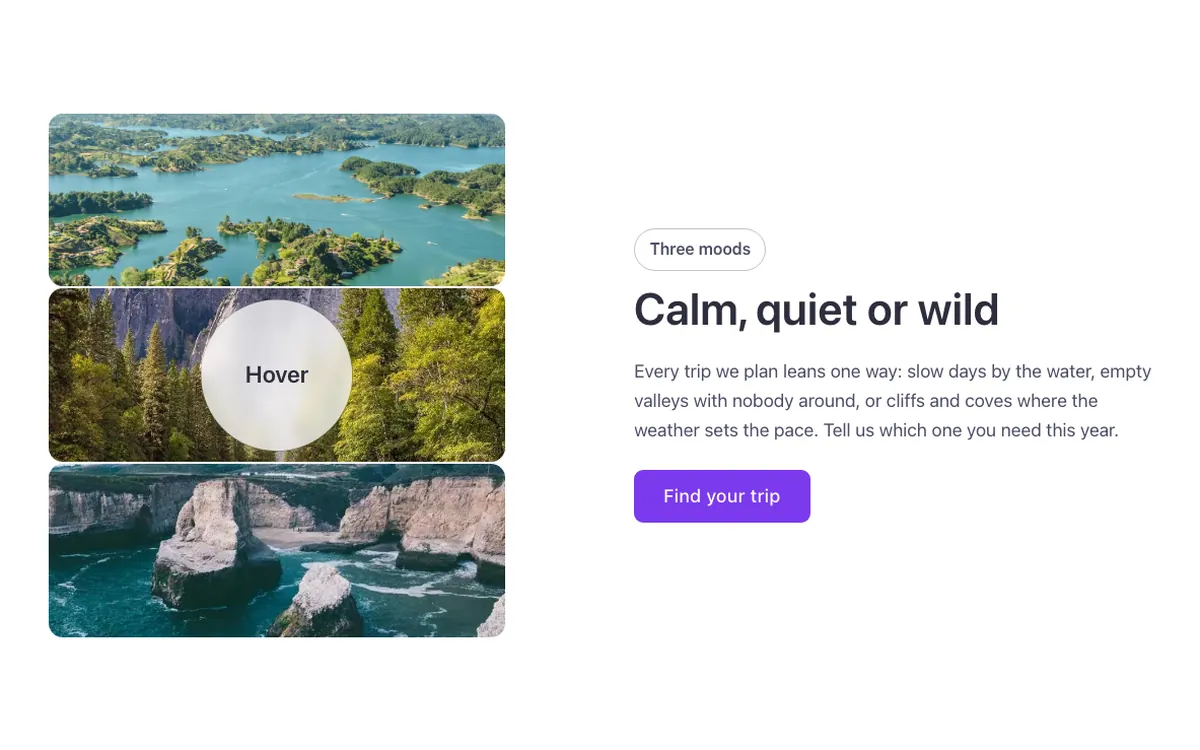
A text and media section for Bricks Builder where a photo in three horizontal strips turns sideways on hover and the strips separate in 3D depth, each revealing a word beside it. Built with the FBK Media text component, so without the hover class the strips just stack flat and legible.
In the annual plan, $99/year. See plans
Preview
Loading demo…
Template details
What’s inside
The components it’s built from. They come with the template when you paste it, and you edit them from the Bricks panel.
- FBK Button
A link styled as a button, with style, size and width.
- FBK Intro
Eyebrow, title, lead and an actions slot for buttons.
- FBK Media text
Two columns: media on one side, text (FBK Intro, lists, buttons) on the other.
Adjust it
Change these variables in Bricks to tune it; everything else follows your framework.
On the element Strips, class fbk-strips
Strips: their height, and how far the card turns on hover (class .fbk-strips--3d)
- --fbk-t-strip-h
- 9.5em
- --fbk-t-turn
- 70deg
Words: white on the photos at rest, the heading color beside them on hover
- --fbk-t-word-color
- var(--white)
Depth shadow under each strip while the card is turned (a neutral shade, as in the original)
- --fbk-t-shadow
- color-mix(in srgb, var(--base-ultra-dark) 30%, transparent)
- --fbk-t-time
- 0.7s
Replaces
In Fancy Bricks 1.0 and 2.0 this was Card reveal (2.0).