Testimonials · Vertical focus slider
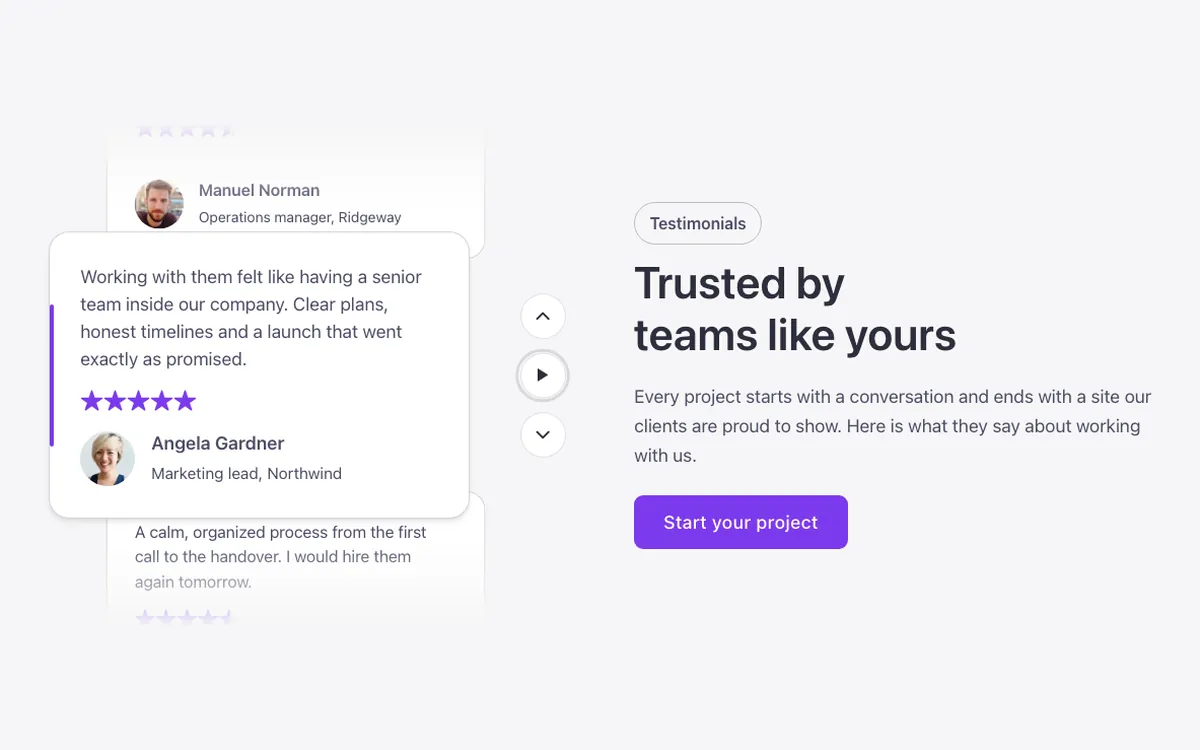
A vertical testimonial slider for Bricks Builder that moves up one quote at a time: the center quote sits in front with an accent bar, while the previous and next ones peek behind it. Arrows and a pause button sit beside it, with a text intro on the other side.
In the annual plan, $99/year. See plans
Uses a small script. Turn on Code execution in Bricks › Settings › Custom code. How to turn on Code execution
Preview
Loading demo…
Template details
What’s inside
The components it’s built from. They come with the template when you paste it, and you edit them from the Bricks panel.
- FBK Button
A link styled as a button, with style, size and width.
- FBK Intro
Eyebrow, title, lead and an actions slot for buttons.
- FBK Quote
A testimonial: quote, stars, avatar, name, role or company and date.
Adjust it
Change these variables in Bricks to tune it; everything else follows your framework.
On the element Slider + pause, class fbk-tfocus
Card height without the script (the script fits it to the longest quote)
- --fbk-t-card-h
- 16em
How much of the previous and next quote shows above and below
- --fbk-t-peek
- 6em
The quotes beside the center one: size, sideways shift and how far they tuck behind it
- --fbk-t-side-scale
- 0.9
- --fbk-t-side-shift
- 2em
- --fbk-t-tuck
- 1.5em
Controls column (arrows and pause)
- --fbk-t-controls
- 4em
Accent bar of the center quote
- --fbk-t-accent
- var(--primary)
Slider height (--fbk-t-card-fit is set by the script)
- --fbk-t-height
- calc(var(--fbk-t-card-fit, var(--fbk-t-card-h)) + 2 * var(--fbk-t-peek))
Replaces
In Fancy Bricks 1.0 and 2.0 this was Testimonials (1.0).