Process · Road
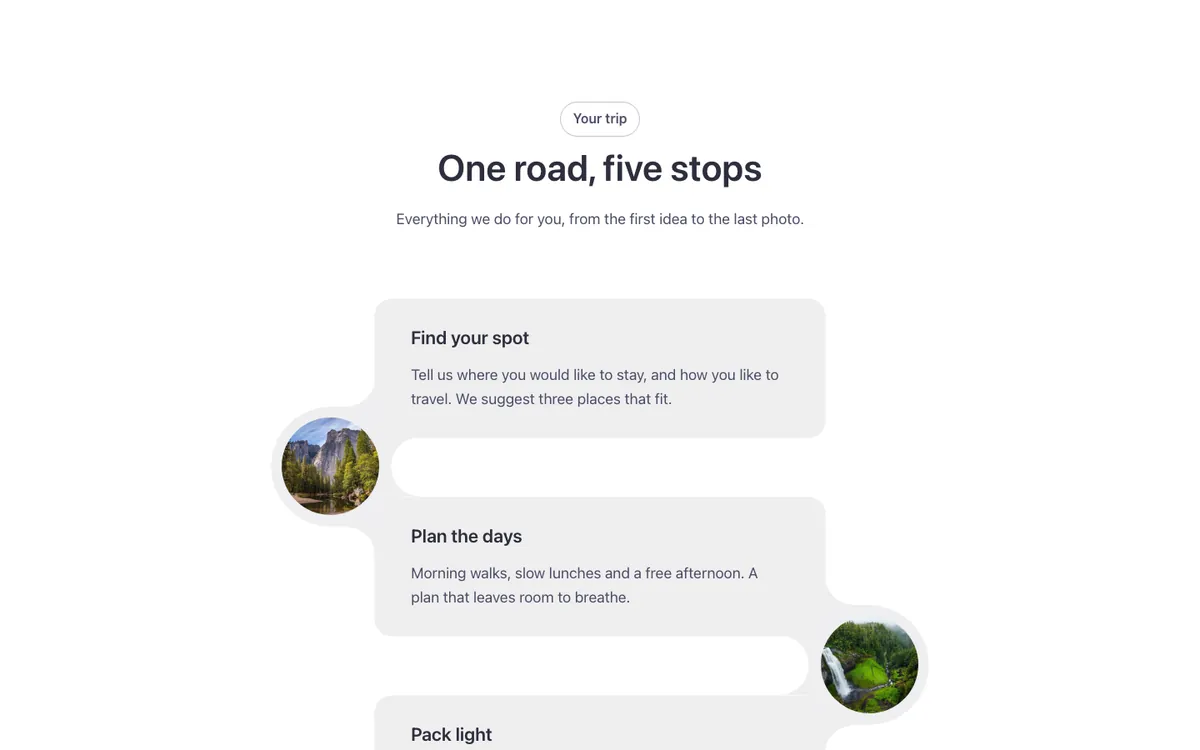
A timeline for Bricks Builder with soft cards stacked one under another. Round photos join the cards, resting on the left and right edges in turn, so the steps read like a winding road down the page.
In the annual plan, $99/year. See plans
Preview
Loading demo…
Template details
What’s inside
The components it’s built from. They come with the template when you paste it, and you edit them from the Bricks panel.
- FBK Intro
Eyebrow, title, lead and an actions slot for buttons.
- FBK Timeline
An ordered list of steps: vertical, alternate or horizontal.
- FBK Timeline step
One step of an FBK Timeline: marker, date, title and text.
Adjust it
Change these variables in Bricks to tune it; everything else follows your framework.
On the element Road, class fbk-tl-road
Photo size, ring width and road color
- --fbk-t-photo
- 6.5em
- --fbk-t-ring
- 0.75em
- --fbk-t-road
- color-mix(in srgb, var(--base-ultra-dark) 8%, var(--white))
The joint: its radius, how far it enters the cards, the gap between cards and the inverted corners
- --fbk-t-r
- calc(var(--fbk-t-photo) / 2 + var(--fbk-t-ring))
- --fbk-t-in
- 1em
- --fbk-t-gap
- var(--fbk-t-r)
- --fbk-t-curve
- calc(var(--fbk-t-r) / 2)
Replaces
In Fancy Bricks 1.0 and 2.0 this was Timeline road (2.0).