Phone carousel
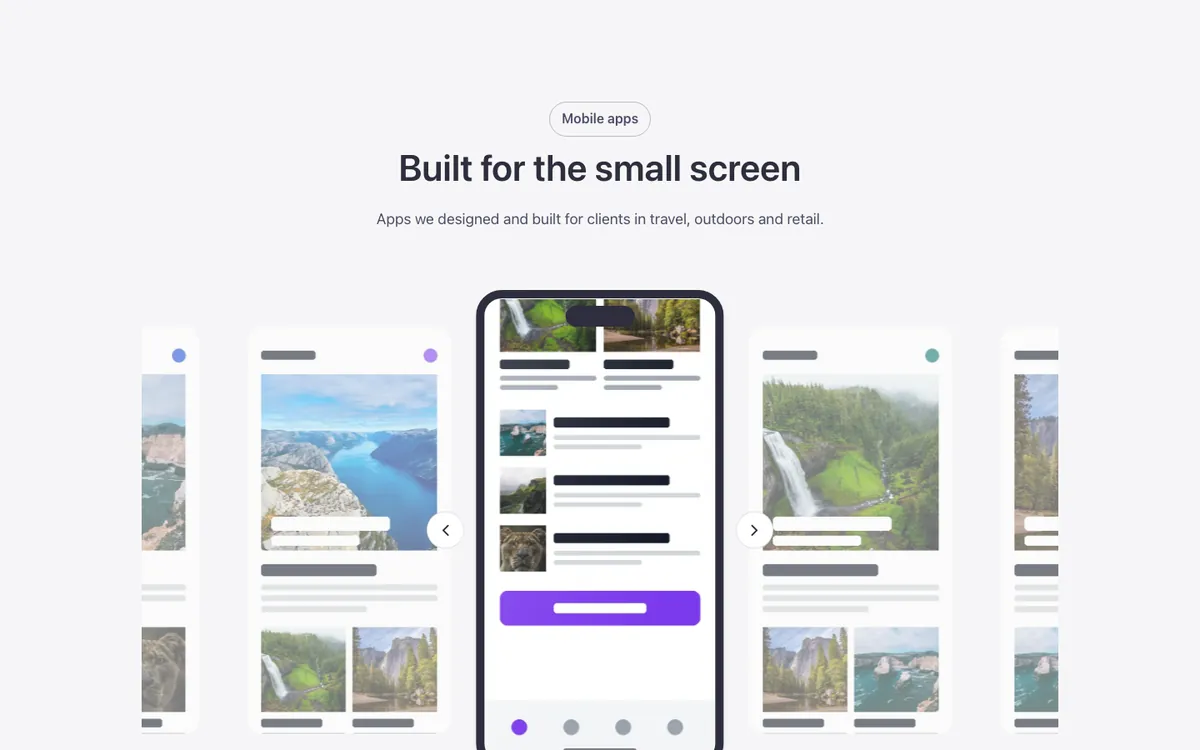
An app-screenshot carousel for Bricks Builder with three screenshots per view; the center one sits inside a phone frame and, after a moment, scrolls slowly down to the bottom of the screen. Good for showing an app's screens in context.
Free with a free account.
Preview
Loading demo…
Template details
What’s inside
The components it’s built from. They come with the template when you paste it, and you edit them from the Bricks panel.
- FBK Intro
Eyebrow, title, lead and an actions slot for buttons.
Adjust it
Change these variables in Bricks to tune it; everything else follows your framework.
On the element Carousel + phone, class fbk-phoneslide
How long the center screenshot takes to scroll to the bottom, and the wait before it starts
- --fbk-t-scroll-time
- 18s
- --fbk-t-scroll-wait
- 1.2s
Screen shape and the phone frame around the center screen
- --fbk-t-ratio
- 9 / 18
- --fbk-t-frame
- var(--base-ultra-dark)
- --fbk-t-bezel
- 0.6em
Screens beside the center one
- --fbk-t-side-scale
- 0.88
- --fbk-t-side-opacity
- 0.55
Layout (changes below 767 px)
- --fbk-t-screen-w
- calc((80% - 2 * var(--fbk-gap-cards)) / 3)
Replaces
In Fancy Bricks 1.0 and 2.0 this was Carousel (Phone) (1.0).