CTA · App download
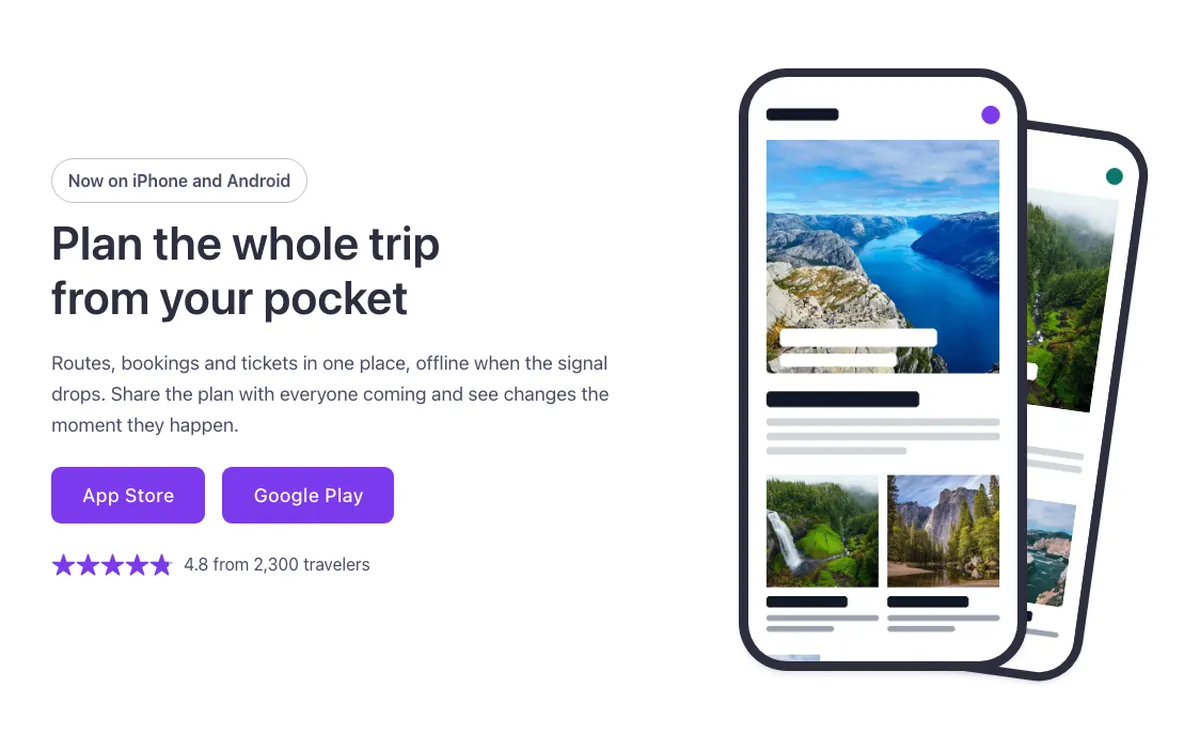
An app download CTA for Bricks Builder with two equal-weight store buttons and a star rating line beside the copy, and two CSS phone mockups stacked on the other side. On hover, the front screenshot scrolls down slowly and the back one opens a little further, as if someone were scrolling the app; it needs no JavaScript.
In the annual plan, $99/year. See plans
Preview
Loading demo…
Template details
What’s inside
The components it’s built from. They come with the template when you paste it, and you edit them from the Bricks panel.
- FBK Button
A link styled as a button, with style, size and width.
- FBK Intro
Eyebrow, title, lead and an actions slot for buttons.
Adjust it
Change these variables in Bricks to tune it; everything else follows your framework.
On the element CTA app, class fbk-ctaapp
Width of each phone
- --fbk-t-phone-w
- 15em
Dark frame around the screen
- --fbk-t-bezel
- 0.5em
Turn of the phone behind
- --fbk-t-back-turn
- 8deg
How long the screenshot takes to scroll down on hover
- --fbk-t-scroll-time
- calc(var(--fbk-hover) * 6)