Text-media · Glossary A–Z
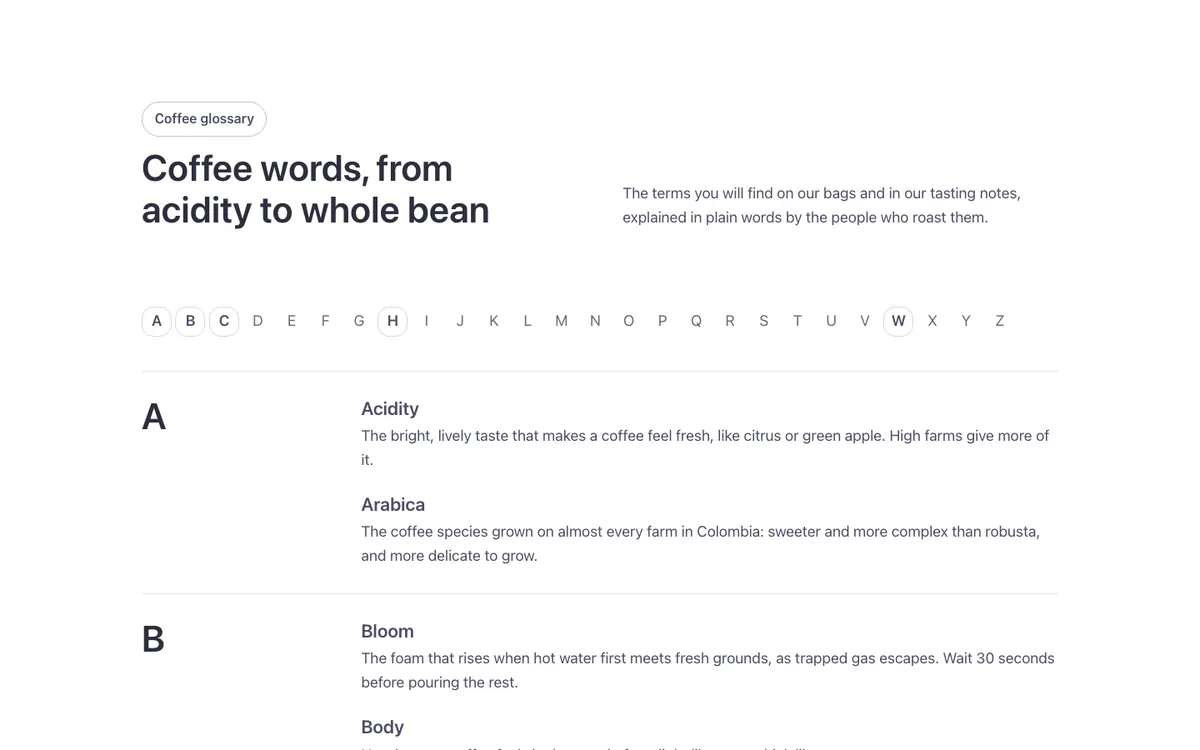
An A–Z glossary page for Bricks Builder: a sticky bar of letters jumps to term groups below, each with the letter in large type beside a list of terms and definitions. Letters with no terms dim themselves automatically, built with the FBK Glossary group component.
In the annual plan, $99/year. See plans
Preview
Loading demo…
Template details
What’s inside
The components it’s built from. They come with the template when you paste it, and you edit them from the Bricks panel.
- FBK Glossary group
One letter of a glossary and its terms; it hides itself when the letter has none.
- FBK Intro
Eyebrow, title, lead and an actions slot for buttons.
Adjust it
Change these variables in Bricks to tune it; everything else follows your framework.
On the element Glossary, class fbk-wf-glossary
Space kept above the letter bar while it stays in view, and above a letter when you jump to it
- --fbk-t-offset
- calc(var(--wp-admin--admin-bar--height, 0em) + var(--space-s))
Lines between the letter groups
- --fbk-t-line
- color-mix(in srgb, currentColor 16%, transparent)
Letter bar background (the section's, so the terms don't show through it)
- --fbk-t-bar-bg
- var(--fbk-bg, var(--white))