Woo · Product categories
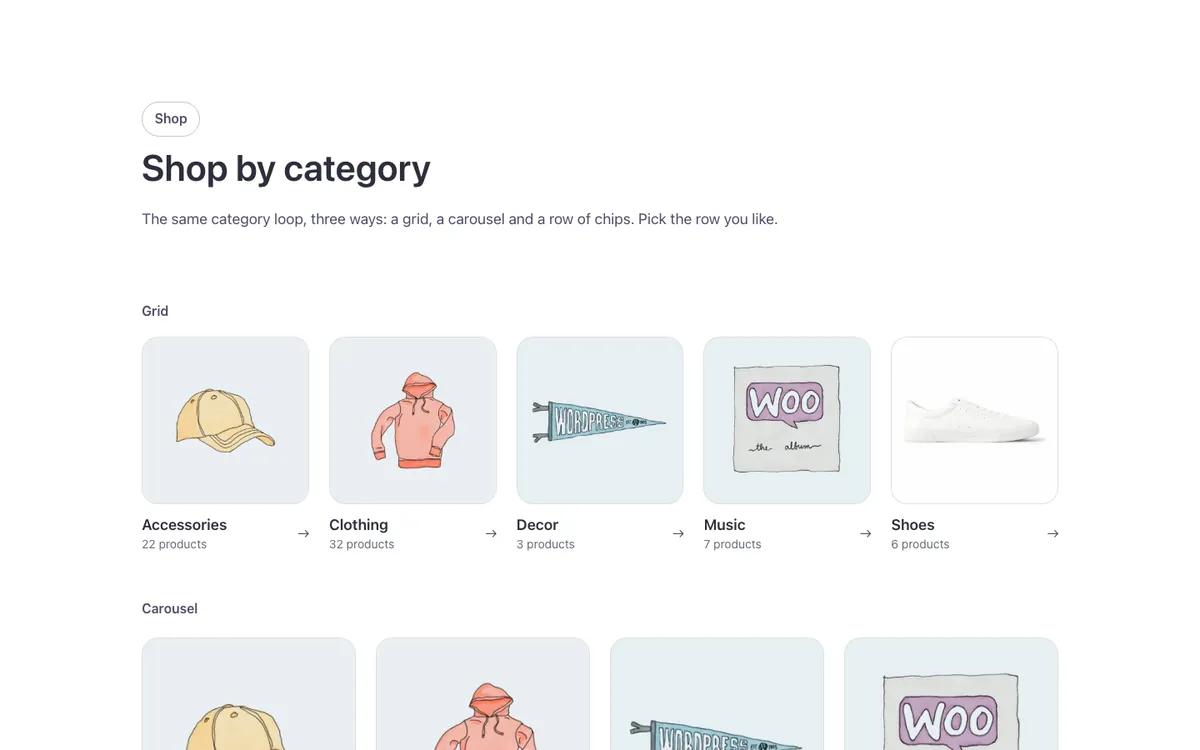
Three ways to show WooCommerce product categories in one Bricks Builder showcase: a grid, a carousel and a row of filter chips, all built on the same category loop in one shared card style. Each card shows the category photo, name and product count with an arrow that advances on hover.
In the annual plan, $99/year. See plans
Uses a small script. Turn on Code execution in Bricks › Settings › Custom code. How to turn on Code execution
Preview
Loading demo…
Template details
What’s inside
The components it’s built from. They come with the template when you paste it, and you edit them from the Bricks panel.
- FBK Intro
Eyebrow, title, lead and an actions slot for buttons.
Adjust it
Nothing extra to set: it takes its colors, spacing and type from your framework.
Replaces
In Fancy Bricks 1.0 and 2.0 this was Woocommerce category GRID (1.0), Woo carousel (Category) (1.0) and Section (1.0).