
New in Fancy Bricks / MCP
Bricks Builder AI that builds
with real templates
Connect Claude Code, Cursor or another MCP client to your site. Ask for a section in plain words: your agent builds it from the Fancy Bricks library, in your framework, and you open Bricks to find it on the page.
Included in the annual and lifetime plans. Runs on your own AI subscription.
You ask
Your agent
- Searched the library for pricing with a calculator
- Picked Team calculator: a slider sets the team size
- Added it to your pricing page
- Brought it in your site’s framework
- Reviewed it against the library’s rules
You get
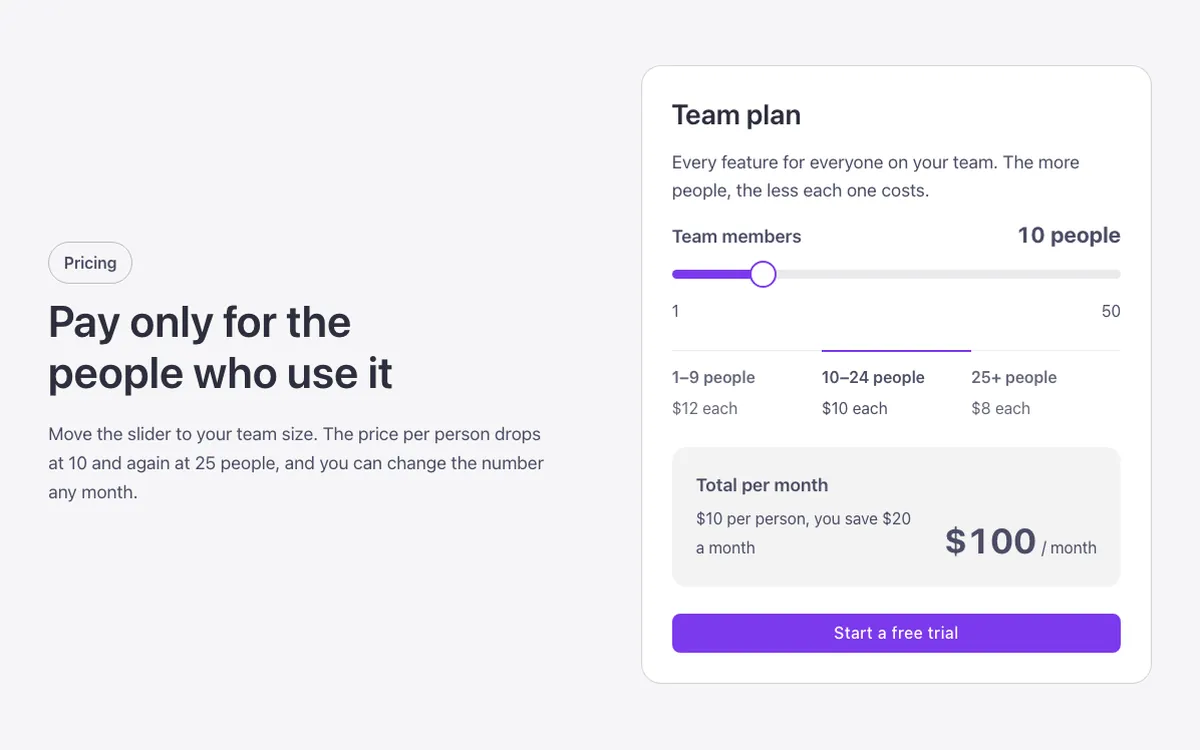
Team calculator, in your framework
A simplified example. The results are real Fancy Bricks templates.Pick a prompt to see another one.
Works with
- Claude Code
- Cursor
- Other MCP clients
Two ways to use it
Let your agent build the section in your site, or only ask it to find the right template and paste it yourself.
Let your AI build
It finds, inserts, adjusts and checks
- Inserts the template in your site, in your framework.
- Adjusts it with the template’s own options.
- Builds a whole page in one go, section after section.
- Reviews each section before it’s done.
Or just let it find
It tells you which one, you paste it
- Tells you which template fits and why.
- Links to its page on fancybricks.co, with the copy button.
- It only searches: nothing is written unless you ask for it.
- You decide what goes on each page, and where.
Any AI can write a section. Few write one that fits
Ask a general AI for a Bricks section and it invents markup from scratch: new classes, fixed colors, a different look every time. Connected to Fancy Bricks, it builds with the same tested templates you'd pick yourself.
| Your AI alone | Your AI + Fancy Bricks | |
|---|---|---|
| The design | Invents a layout from scratch, different every time you ask. | Starts from a tested template that matches the rest of your site. |
| Your framework | Writes fixed colors and sizes, and classes your framework has never seen. | Uses your framework’s variables and the template’s own classes and components. |
| Editing it | Leaves the editing to you: docs, trial and error, or waiting for support. | Knows every template’s backgrounds, options and component settings, and changes them for you. |
| Your AI plan | Spends your subscription writing hundreds of lines of code. | Asks the library for the template, so each section costs very little of your plan. |
| Accessibility | Hands it over unchecked. Labels, focus and contrast are up to you. | Ships the template’s accessibility and reviews each section against the library’s rules. |
| Your page | Can rewrite what’s already there, with no easy way back. | Adds and adjusts sections, and changes to existing pages leave a Bricks revision. |
Stop figuring out how to edit a template. Just say what to change
Every Fancy Bricks template has its own backgrounds, options and component settings. Until now you looked them up in the docs, tried things in the builder or waited for support. Your agent already knows them, so you ask and it edits the template the way it was designed.
The old way
- 1Search the docs for the right option
- 2Find which class or variable controls it
- 3Try it in the builder, undo, try again
- 4Open a support ticket and wait for an answer
Now
Put the pricing section on a dark background, make the buttons primary and hide the eyebrow.
- Switched to a dark background tested with this template
- Set the buttons to the Primary style: your brand color, hover and focus included
- Turned off the eyebrow with the template's own option, so nothing breaks later
No docs to search, no ticket to wait for. Your time goes into the site, not into the settings.
What makes it different
Getting a template is only the start. Fancy Bricks inserts it, adjusts it the way it was designed and checks it, right in your site.
The whole library, one sentence away
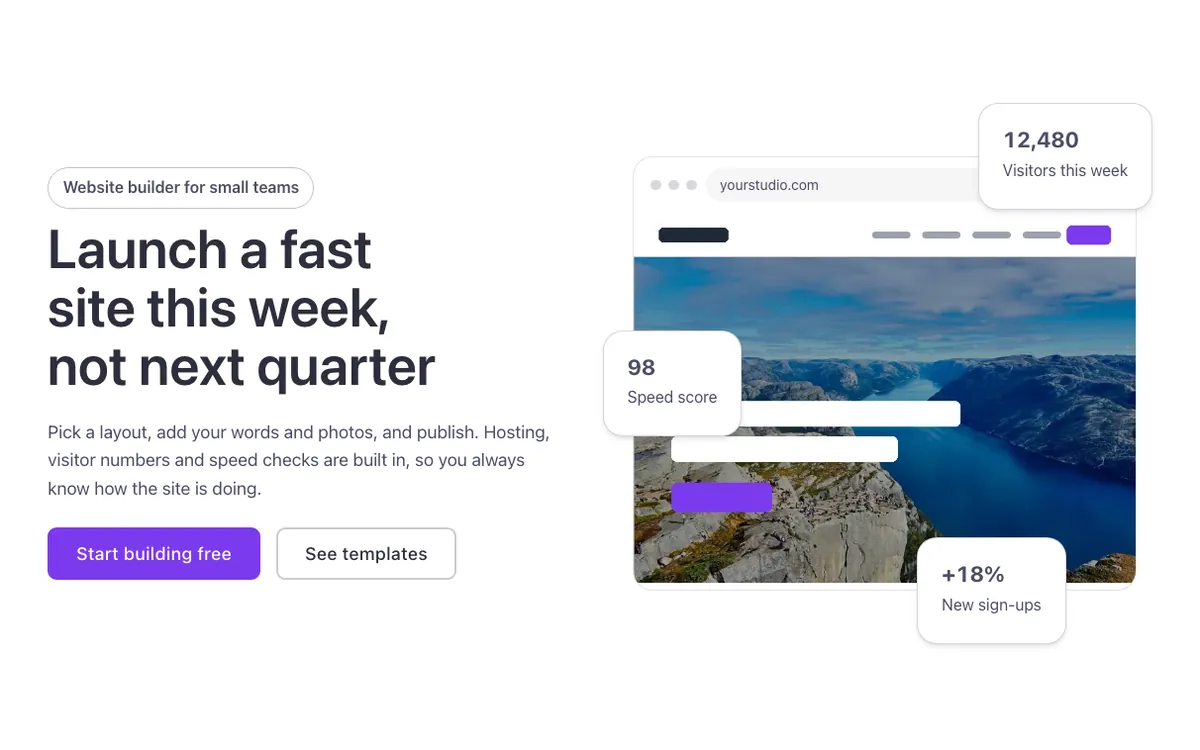
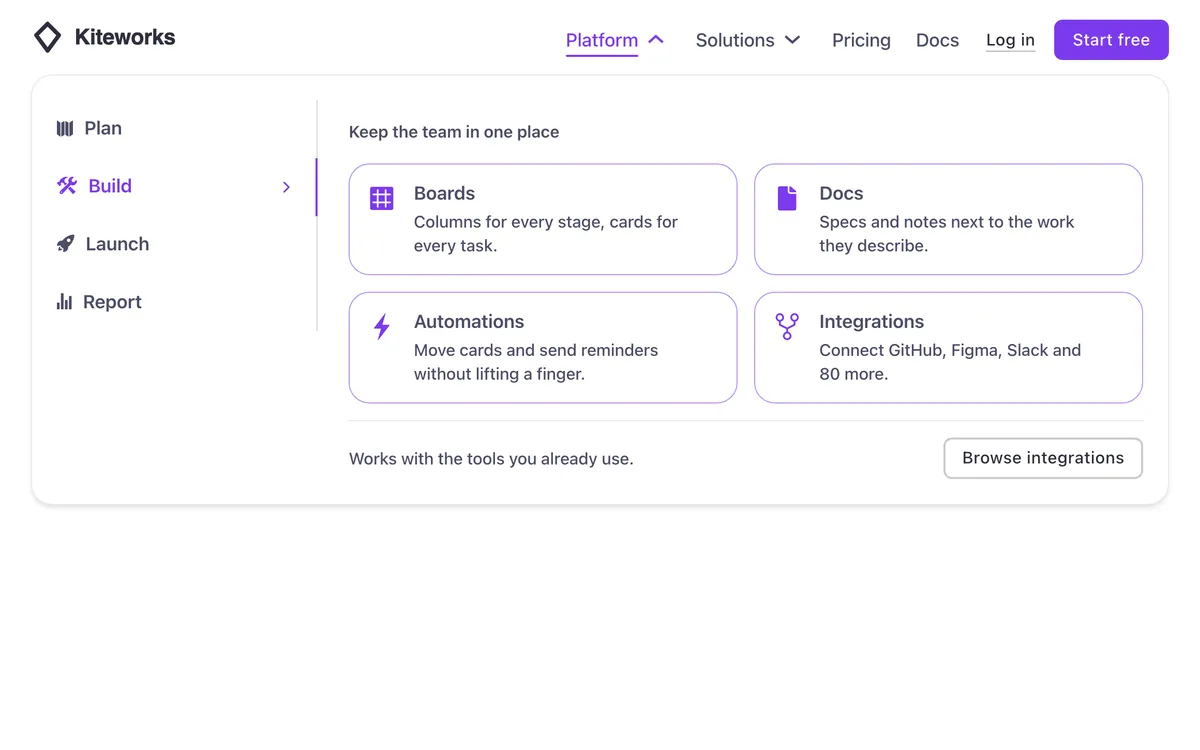
Your agent knows every section, its options, backgrounds and components, so it suggests what exists and explains why it fits. No template names to remember.

Light on your subscription
The template never passes through your chat: the plugin inserts it, so your agent spends very little.
It doesn’t stop at inserting
It adjusts each section with the template’s own options and never touches classes other templates share.
It checks its own work
It reviews each section for touched shared classes, unlinked components, fixed sizes and colors, and accessibility.
From install to your first section
The plugin checks your site, creates the connection and gives you the setup to paste. You set it up once.
Step 1
Update Fancy Bricks to 1.6
Connect your AI comes with version 1.6 of the plugin. Setting it up needs no license; bringing templates in needs an annual or lifetime plan.
- Fancy Bricks 1.6 or later
- An annual or lifetime plan, to bring templates in
Step 2
Open Settings › Connect your AI
It checks what your site needs, tells you what's missing and why, and turns on what it can.
- The Abilities API, built into WordPress 6.9 and later
- The MCP Adapter plugin, the official way AI agents talk to WordPress
- Bricks 2.4 or later, with its AI abilities turned on
- An application password over HTTPS, created for you
Step 3
Paste the setup into your agent
The plugin shows it once, ready to copy. In Claude Code it goes in your MCP settings; in Cursor, in its MCP configuration file.
{
  "mcpServers": {
    "fancy-bricks": {
      "type": "http",
      "url": "https://yoursite.com/wp-json/mcp/mcp-adapter-default-server",
      "headers": { "Authorization": "Basic ••••••••" }
    }
  }
}
Step 4
Ask for your first section
Talk about the page, not the code. Your agent finds the template, builds it and tells you what it did.
Add a team section with photos to the about page.
Put the pricing section on a dark background.
Check the section you just changed.
Safe by design, private by default
An agent that edits your site should be easy to undo, and your content should stay where it is.
Nothing it does is final
- On a page that already has content, every change, even a whole batch of sections, leaves one Bricks revision you can restore.
- It never replaces a page: it adds and adjusts sections.
- It tells you first if a template needs WooCommerce or code execution, instead of leaving it broken.
- It stops if someone has the page open in the builder, and tells you who.
- It only applies what each template offers: no untested background, no made-up option.
Your content stays on your site
Your agent connects with an application password that you can revoke in WordPress at any time.
If your license ends, you can't bring in new templates, but everything already on your site keeps working.
Questions, answered
Search the questions or browse them. Can't find yours? Read the AI docs or write to us.
10 questions
Yes. It comes with the annual and lifetime plans, at no extra cost.
No. Your agent runs on your own Claude, Cursor or other AI subscription. Fancy Bricks doesn’t charge for usage.
No. Your agent knows the backgrounds, options and component settings of every template. Ask for the change in plain words and it uses the right one.
Yes: ask it only to find templates and give you the links, then paste them yourself. The connection is still needed, because the search runs through the plugin on your site.
Claude Code and Cursor, and other MCP clients that connect to a remote server over HTTP with an Authorization header.
Yes. It uses the same official connection, so your agent gets Bricks’ tools and Fancy Bricks’ together.
Your license key, your site address, the plugin version and the name of the template your agent asks for. Your pages, texts, images and customers stay on your site.
It adds and adjusts sections and never replaces a page. Changes to a page that already has content leave a Bricks revision you can restore.
It’s being retired. It keeps working for a while, with no new features.
Everything already on your site keeps working, and your agent can still view and change it. You just can’t bring in new templates.
No questions match. Try another word, or write to us.
Bring your agent.
We'll bring the library.
Every Fancy Bricks section, ready for Claude Code, Cursor and other MCP clients.