Nestable timeline
A vertical timeline whose progress line fills as the page scrolls, lighting up each item as it's reached. Use it for company history, the steps of a process, or a route whose stops open their markers on a map.
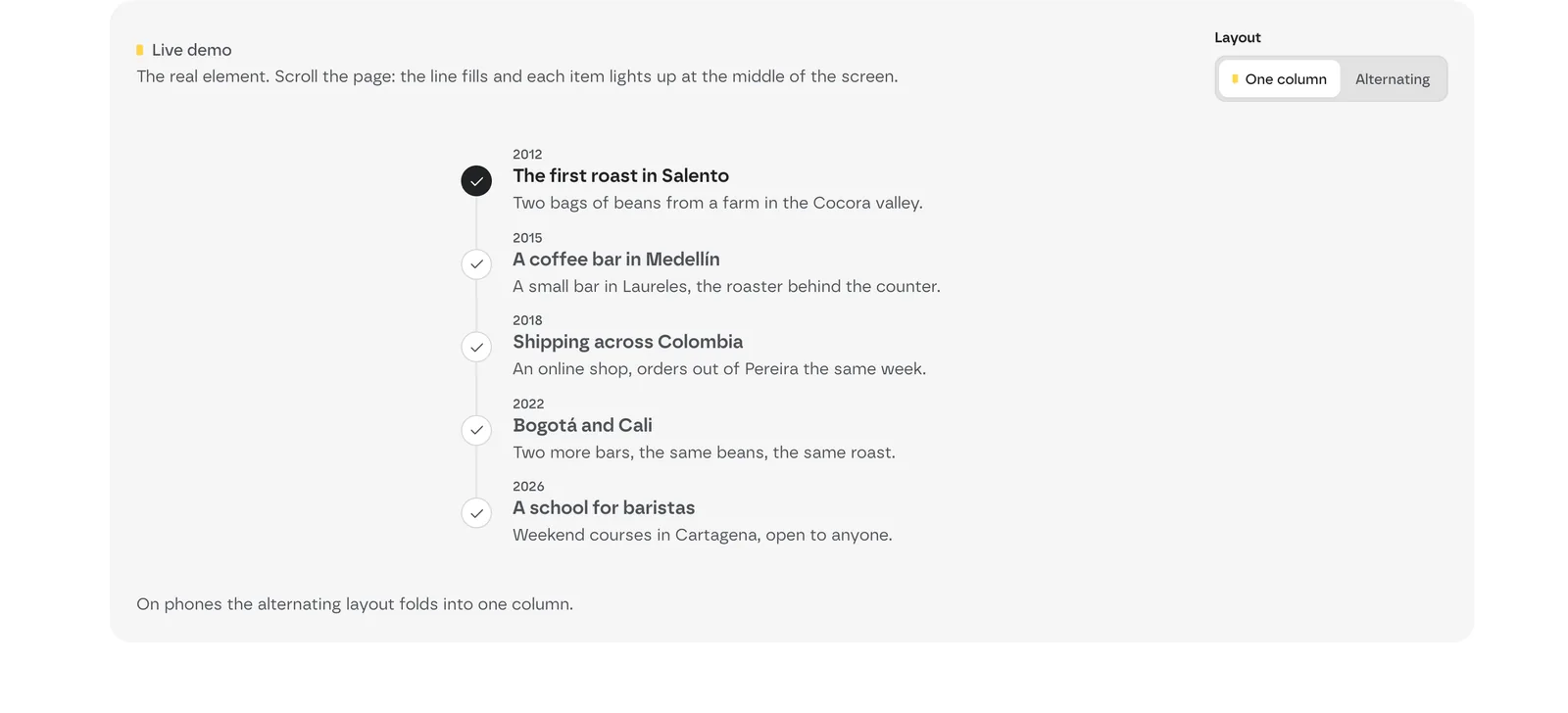 Live demo: scroll and each item lights up as the line reaches it. Layout switches between One column and Alternating.
Add it
- In Bricks › Fancy Bricks, turn on Nestable Timeline.
- In the builder, add Fancy Timeline (category fancy-bricks).
It's nestable. It comes with four items, Timeline Item 1 to Timeline Item 4, each a list item with:
- Icon Container, holding an Icon
- Heading
- Tag, a short label such as "Step 1" or a year
- Description
Edit each item's content in the structure panel. To add an item, duplicate one and change its content; to remove one, delete it.
Settings
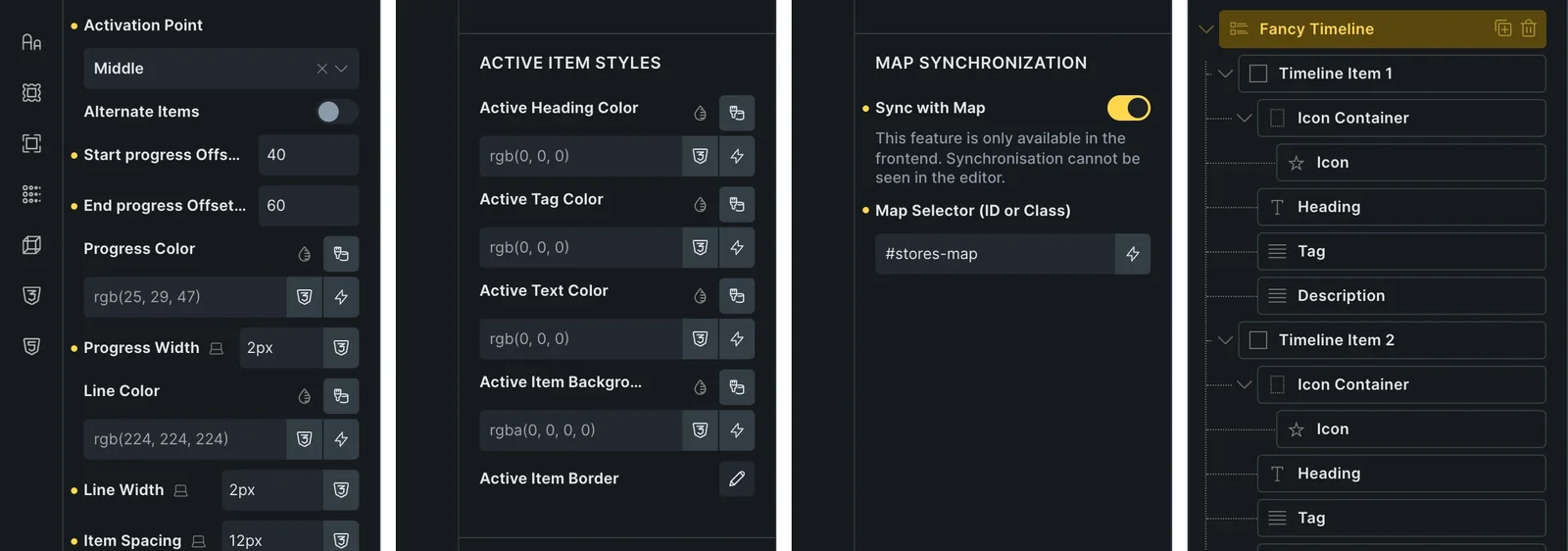 The real Bricks panel. From left to right: activation point and line, the active item styles, map sync, and the items in the structure panel.
All the settings are in the Content tab, split by headings.
Layout and progress
| Control | What it does | Default |
|---|---|---|
| Activation Point | When an item lights up: as the progress reaches its Start (top) or its Middle. | Start |
| Alternate Items | Puts the line in the middle, with items alternating left and right. | Off |
| Start progress Offset (%) | The point of the screen, from the top, where the timeline's top has to reach for the progress to start. | 40 |
| End progress Offset (%) | The point of the screen, from the top, where the timeline's bottom has to reach for the progress to end. | 60 |
| Progress Color, Progress Width | The filled part of the line. | —, 2px |
| Line Color, Line Width | The line behind it. | —, 2px |
| Item Spacing | Space between items. | 20px |
| Distance to progressbar | Space between the items and the line. | 20px |
| Line top Offset | An offset for the top of the line. | .5em |
Active Item Styles
How an item looks once it's lit: Active Heading Color, Active Tag Color, Active Text Color, Active Item Background and Active Item Border.
Every lit item also carries the fb-active class, for your own CSS.
Icon Container
Icon Size (16px), Container Size (30px), Icon Color, Container Background and Border.
Active Icon Styles
The icon of a lit item: Icon Color, SVG Fill Color, SVG Stroke Color, Background and Border.
Map Synchronization
| Control | What it does | Default |
|---|---|---|
| Sync with Map | As an item lights up, the timeline opens the marker in the same position on a Bricks Map element. Only on the live page, not in the builder. | Off |
| Map Selector (ID or Class) | The ID or class of the Map element, for example #map-id or .map-class. | — |
Add the map's markers in the same order as the timeline items: the first item opens the first marker, and so on.