Countdown timer
Counts down to a date: a launch, an offer, an event or a price change. It's a nestable element, so its days, hours, minutes and seconds are ordinary Bricks blocks you style like anything else. The end date can come from dynamic data.
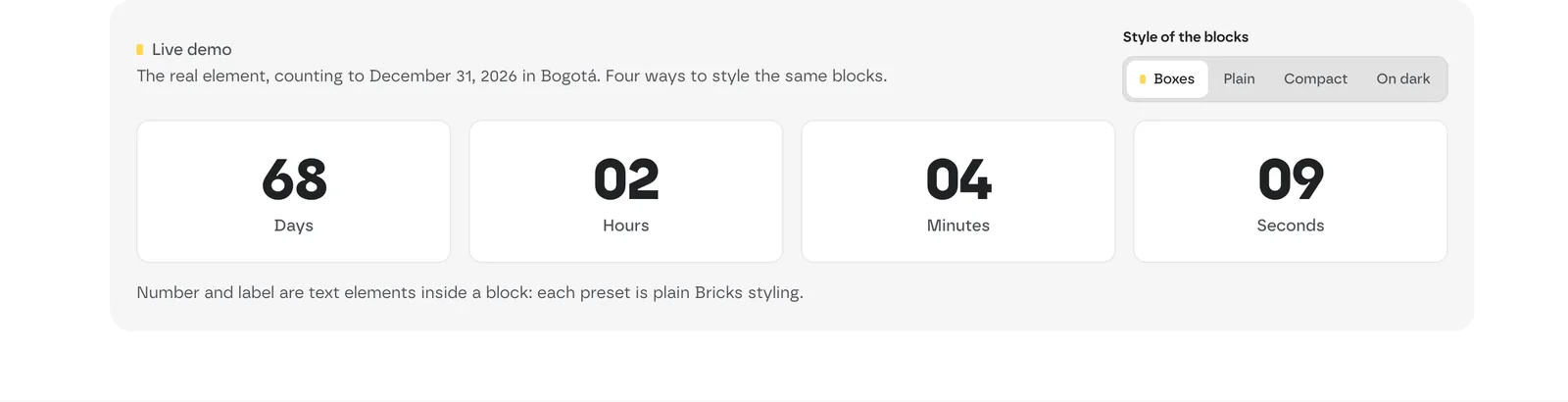 Live demo: the same countdown with four block styles (Boxes, Plain, Compact, On dark).
Add it
- In Bricks › Fancy Bricks, turn on Nestable countdown with dynamic data.
- In the builder, add Fancy Countdown (category fancy-bricks).
- Set the Target Date.
It's nestable. It comes with four blocks, each with a number and a label:
| Block | Number | Label |
|---|---|---|
| Days Block | Days Number (00) | Days Label ("Days") |
| Hours Block | Hours Number (00) | Hours Label ("Hours") |
| Minutes Block | Minutes Number (00) | Minutes Label ("Minutes") |
| Seconds Block | Seconds Number (00) | Seconds Label ("Seconds") |
Style each block, number and label from its own panel. Edit the labels' text freely; the numbers are filled in by the countdown.
Settings
 The real Bricks panel. From left to right: Date Source and Target Date, the layout of the blocks, and the four blocks in the structure panel.
All the settings are in the Content tab.
| Control | What it does | Default |
|---|---|---|
| Date Source | Date Picker to pick a date by hand, or Dynamic Field to read it from dynamic data. | Date Picker |
| Target Date | The date and time to count to. With Date Picker. | One week from when you add it |
| Dynamic Date Field | The dynamic data tag that holds the date, for example an ACF date field. With Dynamic Field. | — |
| Timezone | The timezone of the target date, as a UTC offset (UTC−12:00 to UTC+14:00). | Your site's timezone |
| Expired Message | Replaces the blocks when the countdown reaches zero. | Time expired! |
| Direction | The direction of the blocks (row or column). | Row |
| Justify Content, Align Items | How the blocks line up. | — |
| Items Gap | Space between blocks. | 1rem |
The date from dynamic data
-
Set Date Source to Dynamic Field.
-
In Dynamic Date Field, type the dynamic data tag that holds the date, such as a date field from ACF or from WooCommerce. For an ACF field named
event_date, the tag is:{acf_event_date} -
Set Timezone to the timezone the date is written in.
The countdown reads the common date formats, including:
2024-12-31 23:59:59,2024-12-31 23:59and2024-12-3131/12/2024 23:59and21/06/2025 11:15 pm(the ACF format)12/31/2024 11:59 PM31-12-2024December 31, 2024 11:59 PMand31 December 2024- a Unix timestamp
The date is read in the Timezone you set.
Write an Expired Message that still makes sense after the date: when the countdown reaches zero, it replaces the blocks.
Tips
- One countdown per card. In a query loop, each card can count to its own date field: events or webinars, each with its start time.
- Sales and early-bird prices. Put it in a hero or a CTA band with the deadline, or on the pricing page counting to the price change, and write an Expired Message that still makes sense after the date.