Breadcrumb with dropdowns
A breadcrumb where each category level opens a menu of its sibling categories, and the last level can open a menu of related posts. The path follows the content's taxonomy, with an optional archive link and home as text, an icon or both. Use it on blog posts, product pages and any custom post type with categories or tags.
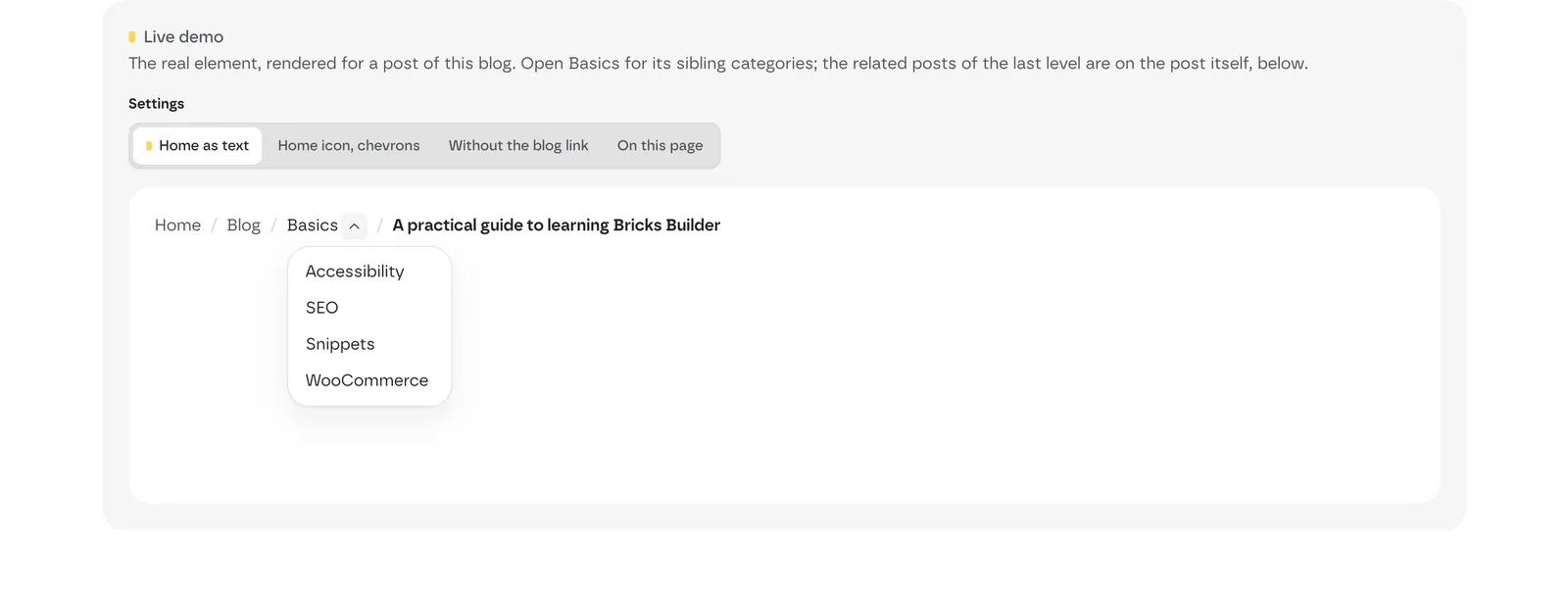 Live demo with the Basics dropdown open. The Settings switch shows other setups: home icon with chevrons, without the blog link, or on this page.
Add it
- In Bricks › Fancy Bricks, turn on Breadcrumb Widget.
- In the builder, add Fancy Breadcrumb (category fancy-bricks). It isn't nestable.
Put it in your single post, product or page templates. On a page it shows home, the parent pages and the page title; the dropdowns come from terms, so they appear on content with categories or tags.
Settings
 The real Bricks panel. From left to right: home and last level, the path options, and the separator.
Path
These controls are at the top of the Content tab.
| Control | What it does | Default |
|---|---|---|
| Home Text | The first link's text. | Home |
| Home Icon | An icon before the home text. | — |
| Hide Home Text | Shows only the home icon. | Off |
| Show Post Title | Ends the path with the current post's title. | On |
| Show Parent Pages | On a child page, shows its parent pages in the path (home › parent › page). | On |
| Show Archive in Breadcrumb | Adds the archive link to the path (home › archive › category › post). | Off |
| Custom Archive Name | Your name for the archive link. Empty uses the post type's archive name. | — |
| Show Full Taxonomy Path | Shows the whole hierarchy, parent terms first (Products › Electronics › Smartphones). Off, only the main term. | On |
| Preferred Taxonomy | Which taxonomy to use when the post type has more than one. Auto (First Available) uses the first one. | Auto |
Dropdowns
| Control | What it does | Default |
|---|---|---|
| Show related posts dropdown on last level | Adds a menu with other posts of the same category to the last item. Uses Preferred Taxonomy when set. | Off |
| Max posts in last-level dropdown | How many related posts. | 10 |
| Order posts by | Date, Title, ID, Modified, Random, Comment Count or Menu Order. | Date |
| Order direction | Ascending or Descending. | Descending |
| Show Empty Taxonomies in Dropdown | Includes categories with no posts in the menus. | Off |
| Sort drop-down categories by | Default (By Name), ID, Slug or Count. | Default (By Name) |
| Sort drop-down categories direction | Ascending or Descending. | Ascending |
| Max categories in dropdown | How many sibling categories each menu lists. | 10 |
Separator
| Control | What it does | Default |
|---|---|---|
| Separator Type | Text or Icon. | Text |
| Separator Text | The character between levels. | / |
| Separator Icon | The icon between levels. | — |
| Separator Color, Separator Size | The separator's look. | — |
Style groups
- Text Styles: Typography, Link Color, Current Page Color and Text Size.
- Item styles: Background Color, Padding, Border and Item Spacing (default 8px) of each level.
- Dropdown Styles: the menus' Dropdown Background, Dropdown Border, Dropdown Shadow, Dropdown Link Color, Dropdown Padding and Item Spacing, plus the arrow that opens them: Dropdown Arrow Color, Dropdown Arrow background, Dropdown Arrow border, Dropdown Arrow size and Dropdown Arrow Stroke Width.
Accessibility
The breadcrumb is a navigation landmark named "Breadcrumb". Each level's name is a link, and the arrow next to it opens the menu. Inside a menu, the up and down arrow keys move through the links, Home and End jump to the first and last, and Escape closes it.