Testimonials · Rating summary
An average rating with stars and the review count beside a column of testimonial cards that moves up without end, with a pause button.
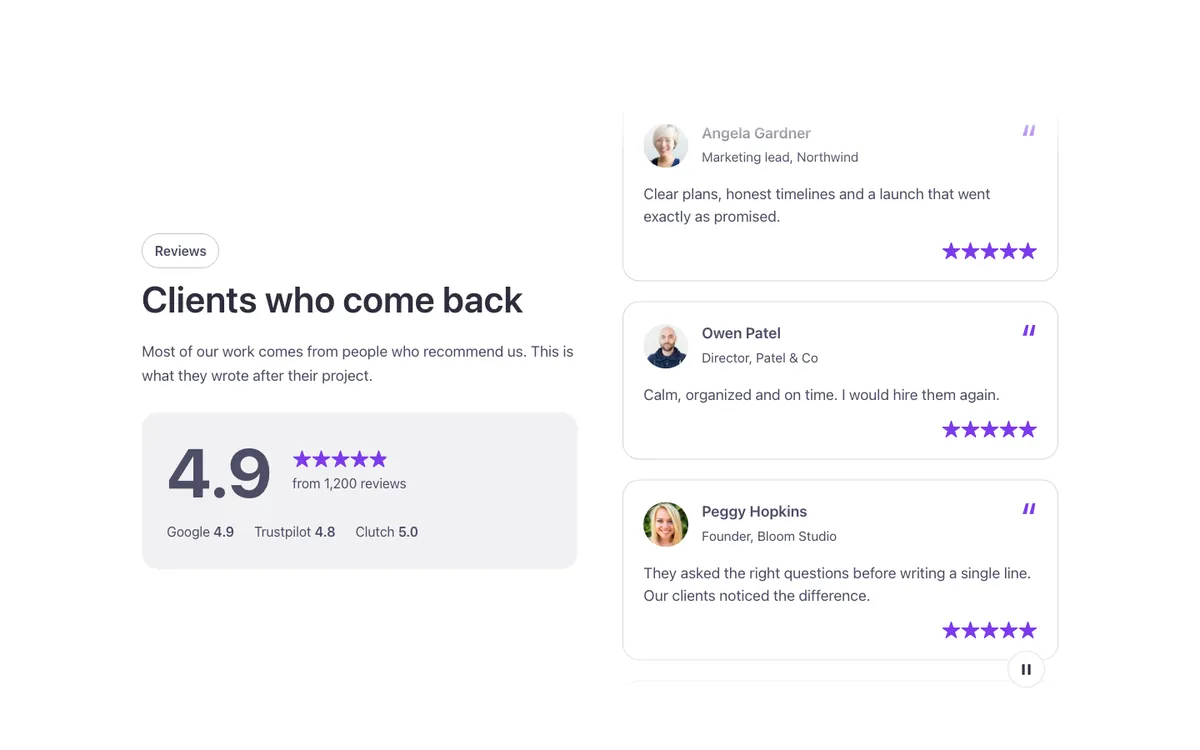
See it live: Testimonials · Rating summary on fancybricks.co — the live preview, and the button that copies it.
Or open the preview on its own — narrow the window to see it on a phone — and in dark mode.
Preview on the front end. Scripts don't run inside the builder, so here you only see the layout: the quotes don't move here: the builder shows them as a still column (the script runs on the front end). Save and open the page to see the full result.
Structure
This is what the Bricks Structure panel shows after you paste the template. Component instances say which component they are.
Testimonials · Rating summary
  Container
    Rating summary
      Summary
        Intro   (FBK Intro)
        Rating panel
          Score
            Score · Figure
            Score · Meta
              Stars
              Score · Count
          Review sites
            Site · Google
            Site · Trustpilot
            Site · Clutch
      Quotes column
        Marquee · Quotes   (FBK Marquee)
          Quote · Angela Gardner   (FBK Quote)
          Quote · Owen Patel   (FBK Quote)
          Quote · Peggy Hopkins   (FBK Quote)
          Quote · Holly Riley   (FBK Quote)
          Quote · Manuel Norman   (FBK Quote)
          Quote · Clara Jensen   (FBK Quote)
The template also pastes a dashed note above the section, with the short version of this page. It only shows inside the builder, never on the published page — see Builder notes.
How to adjust
Every step is the same move: pick the element in the Structure panel, change its Properties.
How to adjust a template shows every one of them in a screenshot of the real builder: the Structure and Properties panels, the classes on an element, a component's style families and the field where a CSS variable goes.
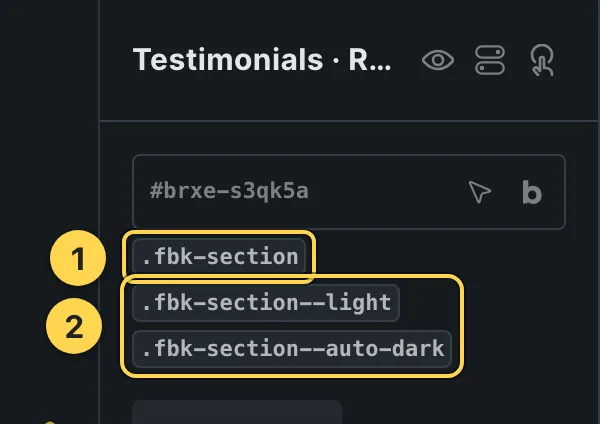
The classes this element carries, in the Bricks panel.
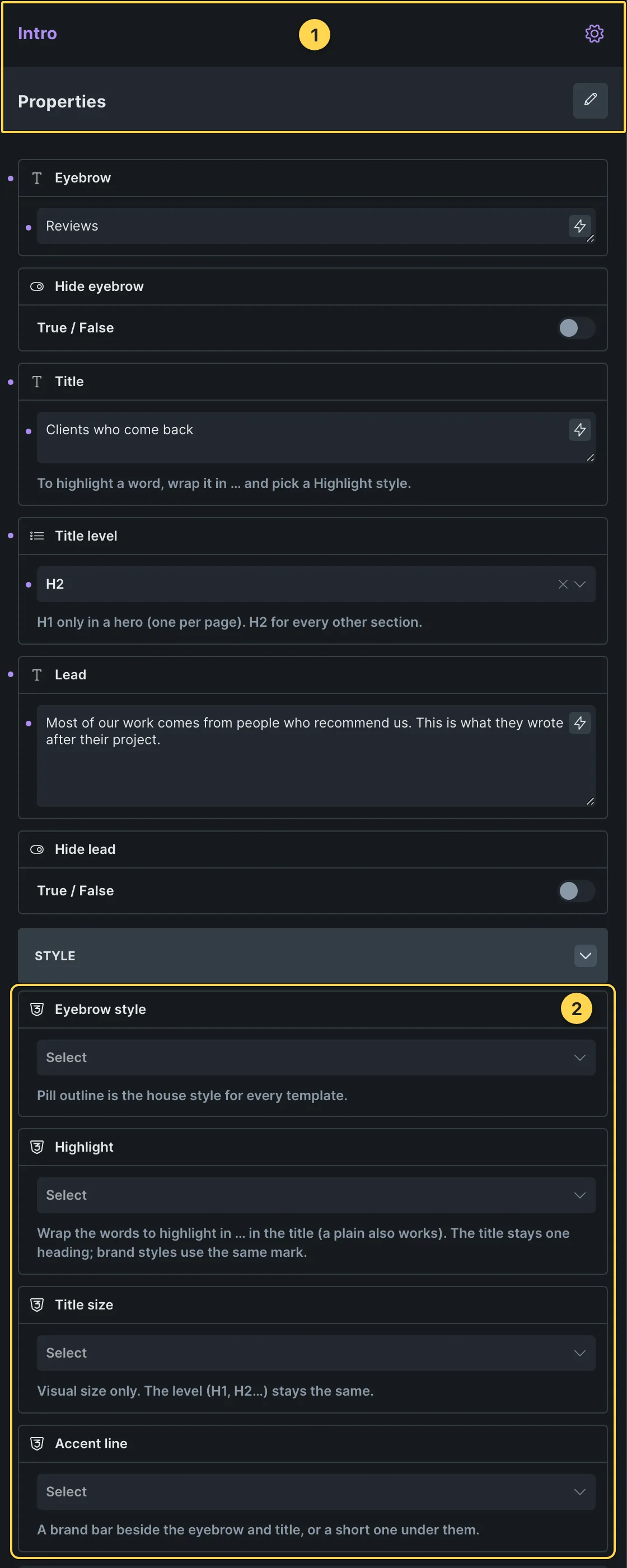
This template's own component, with its Style group open.
- Paste the template in Bricks first — see Copy and paste.
- Select Intro (FBK Intro) › Properties: Eyebrow, Hide eyebrow, Title, Title level, Lead, Hide lead · Style group: Eyebrow style, Highlight, Title size, Accent line · Layout group: Alignment, Layout, Background, Spacing · Motion group: Reveal in slider.
- Select Marquee · Quotes (FBK Marquee) › Properties: Motion group: Direction, Height (up and down), Speed, Hide pause button · Style group: Items, Logos, Gap, Edges.
- Select Quote · Angela Gardner, Quote · Owen Patel, Quote · Peggy Hopkins (+3 more) (FBK Quote) › Properties: Quote, Name, Role or company, Avatar, Rating, Date · Show or hide group: Hide avatar, Hide stars, Hide role or company, Hide date · Style group: Look, Tone, Shape, Layout, Stars tone, Avatar shape, Alignment, Background.
- Select Stars › Content › Rating and Max rating.
Requirements
- Code execution. Needs "Execute code" enabled for the role in Bricks → Settings → Custom code, or the JS block shows as plain text instead of running.
What each requirement is, and how to set it up once for the whole site: Requirements.
Finish by hand
- The column is an FBK Marquee (direction Up): put your FBK Quote cards (or a query loop) in its Items slot. Speed, height, gap and edges are in its properties; its pause button must stay (WCAG 2.2.2).
- The figure, the count and the three review sites are plain texts in the Rating panel: update them by hand. The stars are a Bricks Rating element (Stars): change its Rating (4.9) to match; screen readers hear Rated 4.9 out of 5 from it.
- Hover: the card under the mouse takes a brand border (class
.fbk-trating--hoveron.fbk-trating, Style > CSS: %root%.fbk-quote:hover). Remove the class for no hover.
On phones
The template is designed desktop first, the Bricks default, and only changes at the two widths the library uses:
- 991px and below —
.fbk-trating,.fbk-intro. - 767px and below —
.fbk-section.
Those changes live in Bricks' own breakpoint fields, so you edit them where you always do: pick the breakpoint in the toolbar and the same fields follow.
Careful with the classes shared by the whole library (fbk-section, fbk-intro, the
component classes): a change there shows up in every template that uses them.
If your site's breakpoints are set up mobile first, copy the mobile-first variant of the template instead — see Copy and paste.
Accessibility
In this template, keyboard focus is visible on every interactive piece; movement is cut back
when the visitor's system asks for less motion; the state screen readers need is already set
(aria-hidden, aria-label).
What is checked on every template, and what depends on your own palette: Accessibility.
Dark mode
With your site in dark mode this section turns dark too — the class fbk-section--auto-dark
on the section does it. Remove the class to keep it light.
Its background is a modifier on the section, so you can swap it for any of the ones the
template is checked with: fbk-section--light, fbk-section--soft, fbk-section--dark.
How the library follows your site's color scheme: Dark mode and preview.