Testimonials · Cards
A grid of testimonial cards: the author on top, the quote, then the date and the stars. Three per row, fewer on smaller screens.
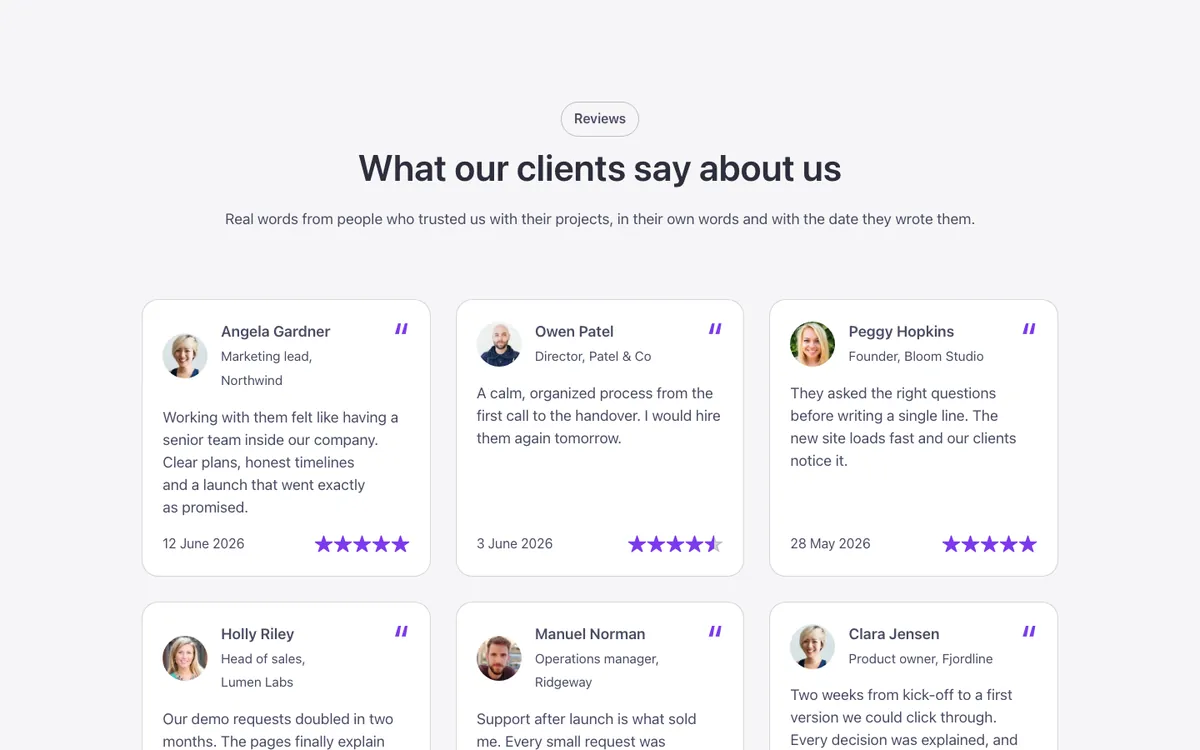
See it live: Testimonials · Cards on fancybricks.co — the live preview, and the button that copies it.
Or open the preview on its own — narrow the window to see it on a phone — and in dark mode.
Structure
This is what the Bricks Structure panel shows after you paste the template. Component instances say which component they are.
Testimonials · Cards
  Container
    Intro   (FBK Intro)
    Testimonials
      Quote · Angela Gardner   (FBK Quote)
      Quote · Owen Patel   (FBK Quote)
      Quote · Peggy Hopkins   (FBK Quote)
      Quote · Holly Riley   (FBK Quote)
      Quote · Manuel Norman   (FBK Quote)
      Quote · Clara Jensen   (FBK Quote)
The template also pastes a dashed note above the section, with the short version of this page. It only shows inside the builder, never on the published page — see Builder notes.
How to adjust
Every step is the same move: pick the element in the Structure panel, change its Properties.
How to adjust a template shows every one of them in a screenshot of the real builder: the Structure and Properties panels, the classes on an element, a component's style families and the field where a CSS variable goes.
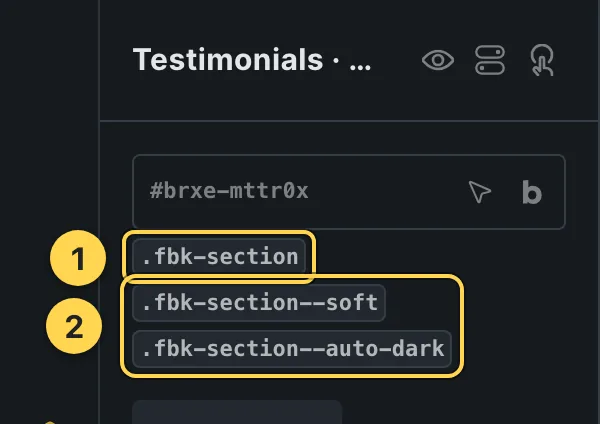
The classes this element carries, in the Bricks panel.
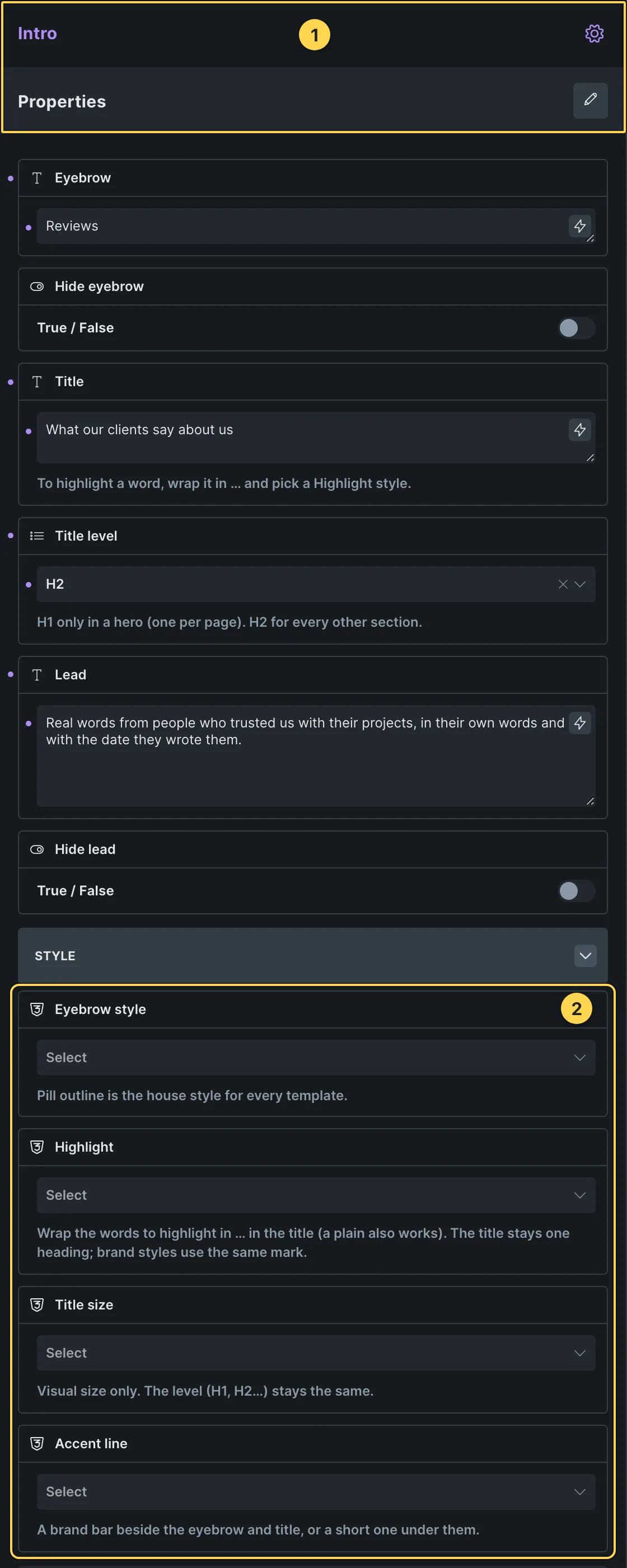
This template's own component, with its Style group open.
- Paste the template in Bricks first — see Copy and paste.
- Select Intro (FBK Intro) › Properties: Eyebrow, Hide eyebrow, Title, Title level, Lead, Hide lead · Style group: Eyebrow style, Highlight, Title size, Accent line · Layout group: Alignment, Layout, Background, Spacing · Motion group: Reveal in slider.
- Select Quote · Angela Gardner, Quote · Owen Patel, Quote · Peggy Hopkins (+3 more) (FBK Quote) › Properties: Quote, Name, Role or company, Avatar, Rating, Date · Show or hide group: Hide avatar, Hide stars, Hide role or company, Hide date · Style group: Look, Tone, Shape, Layout, Stars tone, Avatar shape, Alignment, Background.
Finish by hand
- Replace the test photos with your clients' photos (square, 160 px or more) and the texts. Add or remove cards by duplicating one; the grid wraps by itself.
- Each card is the FBK Quote component (style Header): show or hide the avatar, stars,
role and date in its properties. For a dark version, add
fbk-section--darkto the section: the cards follow. - The grid is
.fbk-tcards: the gap is in its panel; the rule that keeps the date and the stars at the foot of every card is in its Custom CSS (Style > CSS): %root% >.fbk-quoteand %root% >.fbk-quote.fbk-quote__text.
On phones
The template is designed desktop first, the Bricks default, and only changes at the two widths the library uses:
- 991px and below —
.fbk-intro. - 767px and below —
.fbk-section.
Those changes live in Bricks' own breakpoint fields, so you edit them where you always do: pick the breakpoint in the toolbar and the same fields follow.
Careful with the classes shared by the whole library (fbk-section, fbk-intro, the
component classes): a change there shows up in every template that uses them.
If your site's breakpoints are set up mobile first, copy the mobile-first variant of the template instead — see Copy and paste.
Accessibility
In this template, keyboard focus is visible on every interactive piece; movement is cut back when the visitor's system asks for less motion.
What is checked on every template, and what depends on your own palette: Accessibility.
Dark mode
With your site in dark mode this section turns dark too — the class fbk-section--auto-dark
on the section does it. Remove the class to keep it light.
Its background is a modifier on the section, so you can swap it for any of the ones the
template is checked with: fbk-section--soft, fbk-section--light, fbk-section--dark.
How the library follows your site's color scheme: Dark mode and preview.
Replaces
- 01 - Card testimonials from Fancy Bricks 2.0
What happened to the old libraries, and what to do with pages already built with them: Migrating from 1.0/2.0.