Blog · Newsletter archive
A newsletter archive: past issues in rows (number, date, subject and a line), and a subscribe box that stays in view.
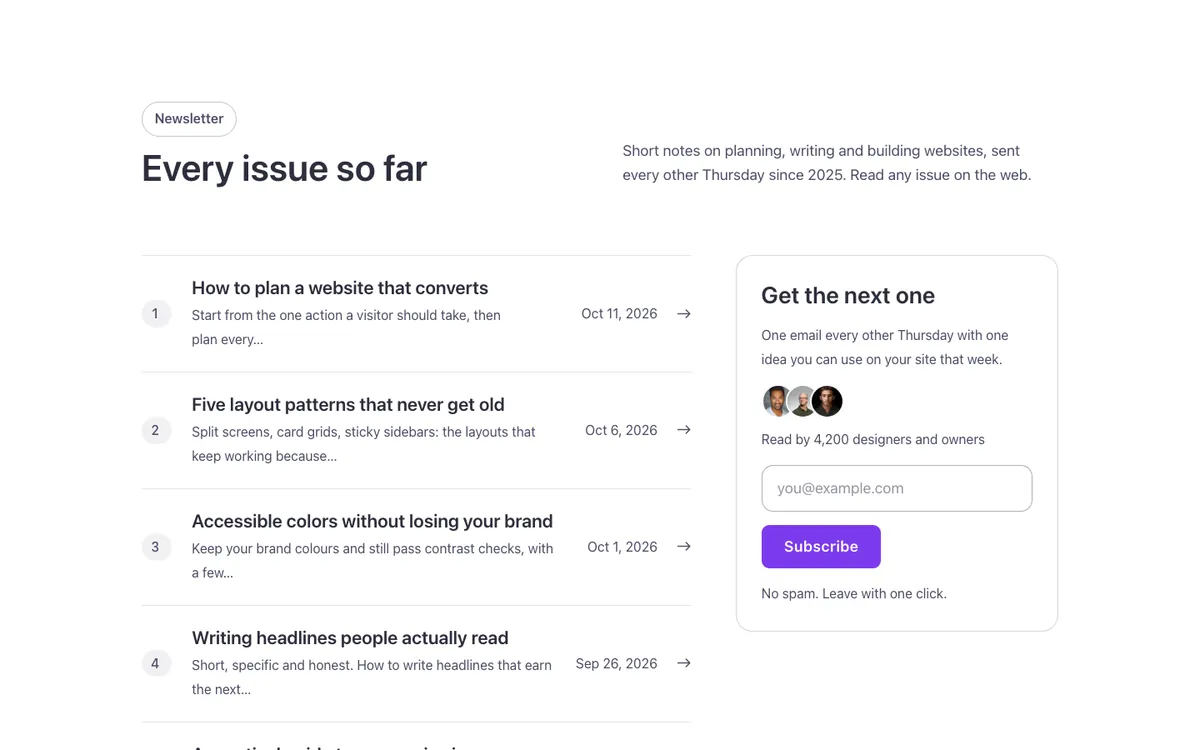
Full-page views: desktop, phone and dark mode
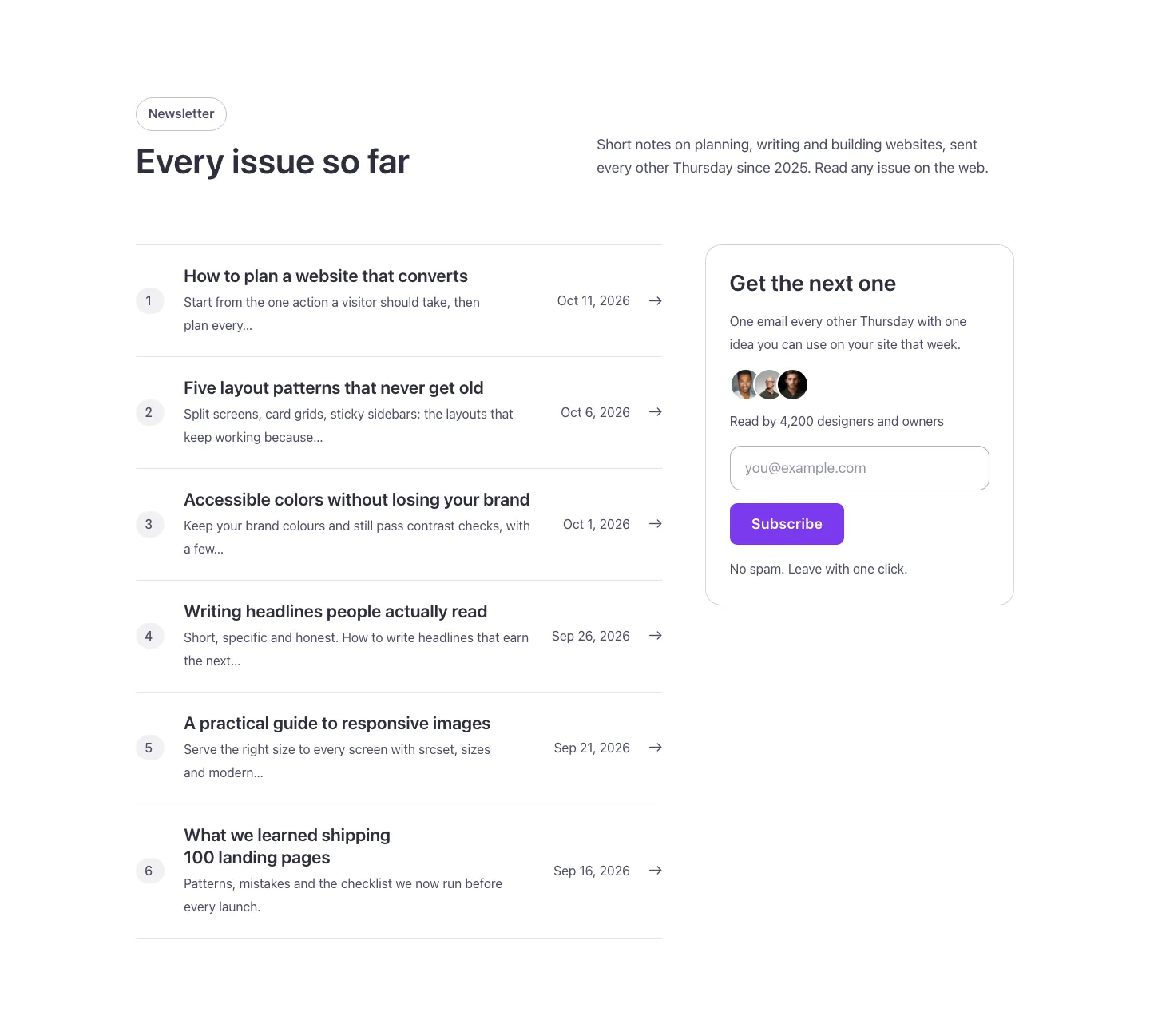
At 1440px wide.

At 390px wide.

With your site in dark mode.
See it live: Blog · Newsletter archive on fancybricks.co — the live preview, and the button that copies it.
Structure
This is what the Bricks Structure panel shows after you paste the template. Component instances say which component they are.
Blog · Newsletter archive
  Container
    Intro   (FBK Intro)
    Newsletter archive
      Issues
        Issue
          Number (decorative)
          Body
            Subject
            Line
          Date
          Arrow
      Subscribe card
        Subscribe · Title
        Subscribe · Text
        Readers
          Readers · Faces (decorative)   (FBK Avatar group)
          Readers · Text
        Subscribe · Form
          Form
        Subscribe · Note
The template also pastes a dashed note above the section, with the short version of this page. It only shows inside the builder, never on the published page — see Builder notes.
How to adjust
Every step is the same move: pick the element in the Structure panel, change its Properties.
How to adjust a template shows every one of them in a screenshot of the real builder: the Structure and Properties panels, the classes on an element, a component's style families and the field where a CSS variable goes.
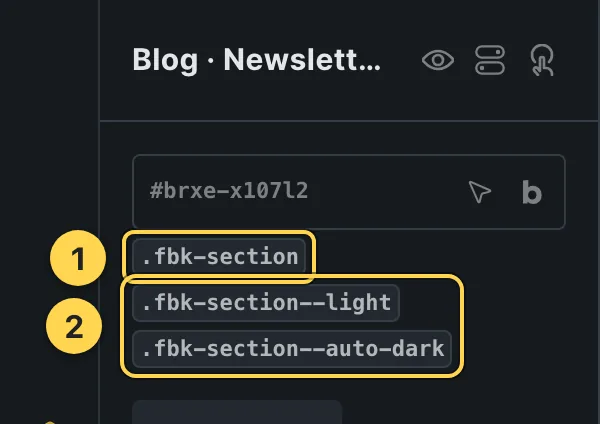
The classes this element carries, in the Bricks panel.
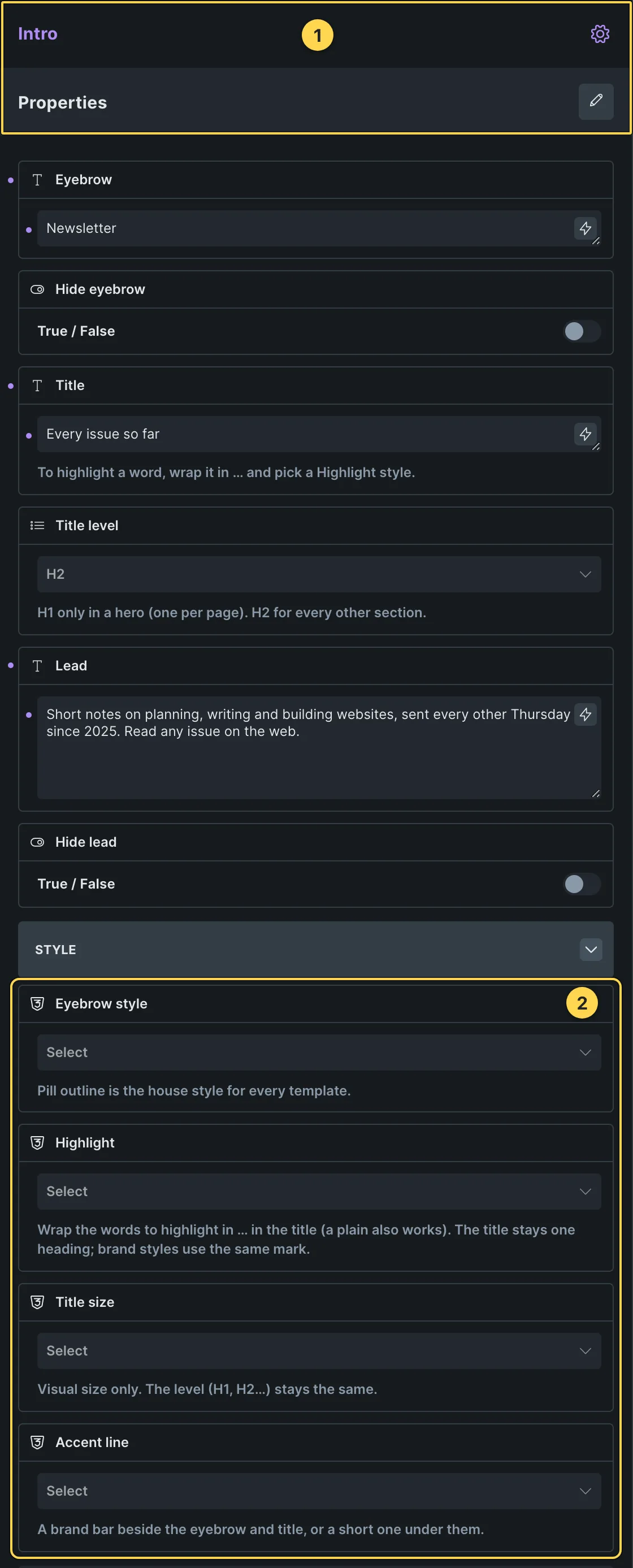
This template's own component, with its Style group open.
- Paste the template in Bricks first — see Copy and paste.
- Select Intro (FBK Intro) › Properties: Eyebrow, Hide eyebrow, Title, Title level, Lead, Hide lead · Style group: Eyebrow style, Highlight, Title size, Accent line · Layout group: Alignment, Layout, Background, Spacing · Motion group: Reveal in slider.
- Select Readers · Faces (decorative) (FBK Avatar group) › Properties: Photos group: Photo 1–5, Hide photo 3–5, +N text, Hide +N · Style group: Shape, Size, Overlap, Hover wave.
- Select Form › Content › Fields (add, remove, required), Submit button and Actions (Email: recipient and subject; success message).
- Select Issue (query loop) › Query: post type, number of posts, order and filters.
- Spacing, sizes, color and timing with no property of their own: the CSS variables below.
CSS variables
These are the only values in the template meant to be changed by hand. Copy the block, paste it, edit the numbers.

The Custom CSS field of this template's own element, with one of its variables as a real example.
/* «Newsletter archive» · class .fbk-wf-issues */
.fbk-wf-issues {
  /* Card color: white like every Outline surface (dark or brand with the
     section's scheme) */
  --fbk-t-card-bg: var(--fbk-card-scheme-bg, var(--white));
  /* Row tint on hover and how far it reaches past the text at the sides */
  --fbk-t-row-hover: color-mix(in srgb, currentColor 5%, transparent);
  --fbk-t-row-pad: var(--space-s);
}
Paste the block in the element's Style → CSS field (the selector is already in it), or set the same variables on the class itself to change every copy at once. The values are your framework's variables, so they follow your site: Choosing a framework.
Finish by hand
- Issues: the query loop is on the li around Issue (Query: posts, 6 per page, newest first) — each row is one real post ({post_title} and {post_excerpt:12} as the subject and line, {post_date:M j, Y}, and the row links to {post_url}). Change the number, order or category in that Query. The small number tag is decorative (a CSS counter: 1, 2, 3… in the order the rows print), not a post field, so it keeps counting correctly how many rows you ask for. If you run your newsletter on another platform (Substack, Beehiiv…), keep a WordPress post per issue just to list it here, or turn the loop back into static rows and write each one by hand.
- Subscribe card: a title, FBK Avatar group (decoration; the line beside it says who
reads), the form in one row and a note. It stays in view while the list scrolls on large
screens. The form is the Bricks Form element in the Fancy Bricks house style (class
fbk-form: one row, the label kept for screen readers (fbk-form--inline), primary submit with the Sweep hover): set its fields, actions and messages in the Form element. While a field has focus the Subscribe card card rises a little and casts a shadow (classfbk-focus-lifton it); remove the class for a still form. Other looks: addfbk-form--line(underline) orfbk-form--float(floating label). Connect the form to your email service in its Actions (Mailchimp, a webhook…). - Hover: the class
.fbk-wf-issues--motionon Issues tints the row, fills the number tag, colors the subject and moves the arrow (states: %root%.fbk-wf-issues__issue:hover and :has(:focus-visible)); remove it for still rows. The faces rise in a wave (FBK Avatar group Hover wave).
On phones
The template is designed desktop first, the Bricks default, and only changes at the two widths the library uses:
- 991px and below —
.fbk-wf-issues,.fbk-wf-issues__card,.fbk-intro. - 767px and below —
.fbk-wf-issues__card,.fbk-wf-issues__issue,.fbk-section.
Those changes live in Bricks' own breakpoint fields, so you edit them where you always do: pick the breakpoint in the toolbar and the same fields follow.
Careful with the classes shared by the whole library (fbk-section, fbk-intro, the
component classes): a change there shows up in every template that uses them.
If your site's breakpoints are set up mobile first, copy the mobile-first variant of the template instead — see Copy and paste.
Accessibility
In this template, keyboard focus is visible on every interactive piece; movement is cut back
when the visitor's system asks for less motion; the state screen readers need is already set
(aria-hidden).
What is checked on every template, and what depends on your own palette: Accessibility.
Dark mode
With your site in dark mode this section turns dark too — the class fbk-section--auto-dark
on the section does it. Remove the class to keep it light.
Its background is a modifier on the section, so you can swap it for any of the ones the
template is checked with: fbk-section--light, fbk-section--dark, fbk-section--soft.
How the library follows your site's color scheme: Dark mode and preview.