Migrating from 1.0/2.0
Fancy Bricks 1.0 and 2.0 are now one library. 1.0 had the creative designs and 2.0 had the consistency; 3.0 keeps the designs and the hover effects you liked, inside one system. Near-identical templates were merged, so you find what you need faster.
Your plan
- Your plan moves to 3.0 at no cost, lifetime licenses included.
- Everything you already pasted keeps working on your sites.
You don't need to redo anything on your existing sites. Use 3.0 for the new sections you add.
Find the 3.0 version of a template
Every template you know has a 3.0 version. Two ways to find it:
- Search by the old name. In the template library, type the name you remember in the search box (it searches "templates, components or old names").
- Check Replaces. Near the end of each template page, Replaces says "In Fancy Bricks 1.0 and 2.0 this was …" with the old name and version.
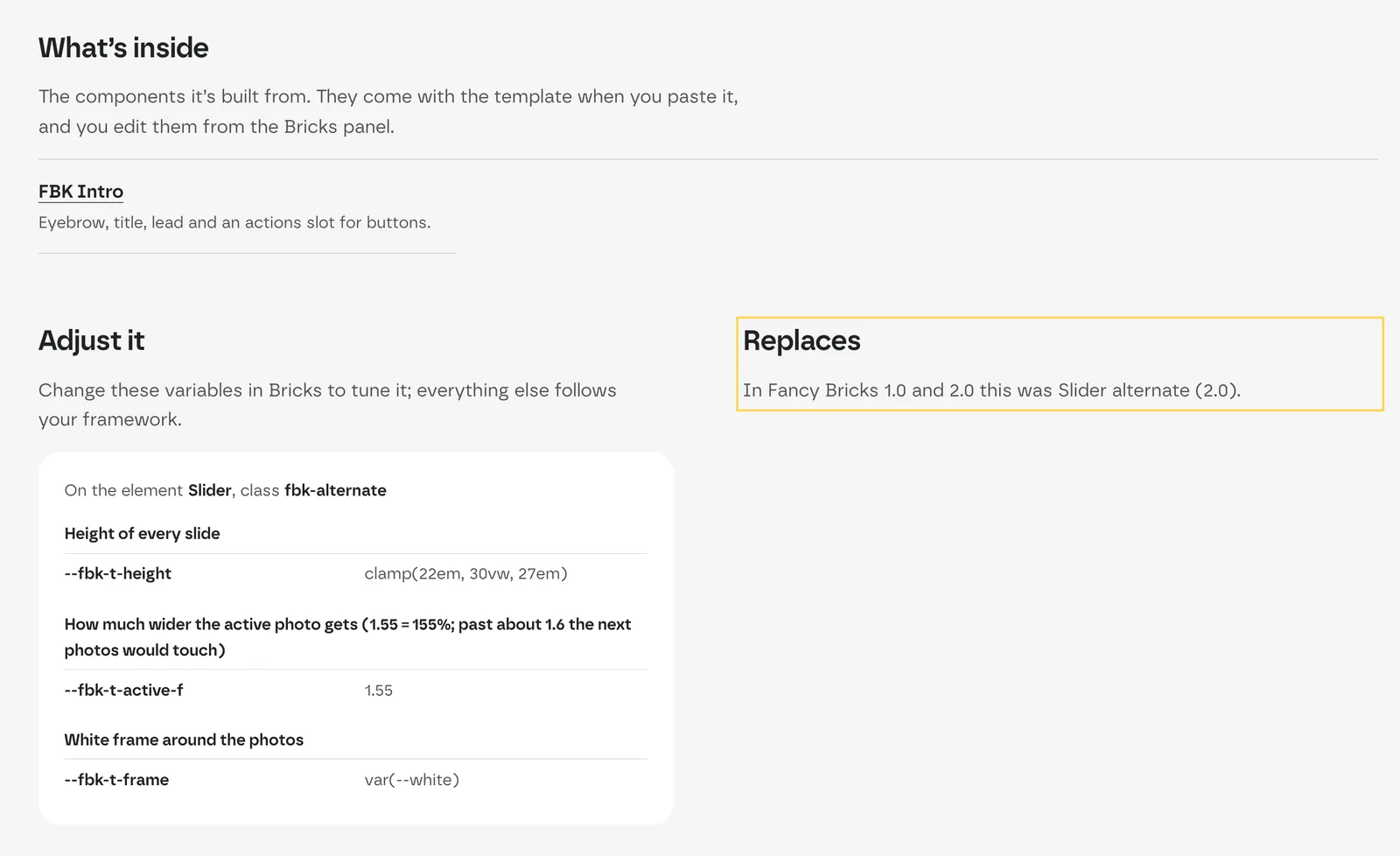 The Replaces block of the alternate slider: in 2.0 it was "Slider
alternate".
The Replaces block of the alternate slider: in 2.0 it was "Slider
alternate".
Old template links redirect to their 3.0 page. When an old template has no direct 3.0 replacement, its link goes to the matching collection.
What changes: 3.0 needs a framework
Fancy Bricks 1.0 and 2.0 didn't require a framework; 3.0 does. Every template uses your framework's variables so it matches your site.
Install a framework on the site before you paste a 3.0 template. Without one, the template's variables have no value and it loses its styling.
- Fancy Framework is free and installs in a minute, so you can move to 3.0 without buying anything extra.
- If you already use Automatic.css 4 or Core, copy the version for yours.
Why the change? Templates with values set by hand never quite matched each other. Bricks now has native variables, and a free framework solves it for good. You get consistency, and you change your whole site from your variables.
See Choosing a framework.
What else is new
- Every template comes in Fancy Framework, Automatic.css 4 and Core, desktop first or mobile first — see Copy and paste.
- Native components and style families: update a component once and every section that uses it follows.
- WooCommerce templates: product page, shop, cart, checkout and My Account.
- New elements in the Fancy Bricks plugin.
The full list is on What's new.